AI, Automation, Meeting & Productivity
One-on-One Meeting Best Practices: Tips From Someone Who Runs 1:1s
Updated: June 19, 2026 · 14 min read
Table of Contents
ToggleHave you ever walked out of a 1:1 thinking… what was that even for? Or sat through one where nobody really knew what to talk about, so the meeting just drifted into small updates and awkward pauses? I have been on both sides, so I have tried to make this guide cover what both managers and what employees expect from this kind of conversation. To make it even more honest, I have asked Sembly marketing specialist, Olena Spenei, what she thinks of 1:1s as an employee.
The best practices come first. These are the ones every good 1:1 shares. After that, I will cover the parts most guides skip: your first 1:1 with someone new, the meeting where neither of you has anything to say, remote and skip-level 1:1s, the hard conversations, and a copy-paste agenda you can use this week.
What Happens When One-on-One Meetings Go Wrong?
Five problems tend to appear when one-on-one meetings are ineffective or inconsistent:
- Late problem detection: Issues that could be resolved early go unmentioned because the employee does not see the meeting as a safe place to raise them.
- Surprise resignations. Employees disengage over months and leave without warning because regular conversation did not surface their frustration.
- Delayed feedback: Performance issues reach the employee weeks or months after the manager first notices them, making the feedback harder to act on.
- Recency bias in reviews: Managers evaluate the full review period based on the most recent weeks because they do not have a documented record of earlier conversations.
- Silent meeting decay: The meeting continues on a schedule but produces no real conversation, decisions, or follow-up, so both sides treat it as a formality.
These five problems share the same root: the 1:1 exists in form but not in function. When it happens, a bad 1:1 does more damage than no 1:1 at all, because it teaches people the meeting is not worth their honesty.
Is it something you can fix? Yes, and the practices in the next section are the specific habits that prevent them.
What Are the One-on-One Meeting Best Practices?
The best practices for a one-on-one meeting come down to seven habits: keep a consistent schedule, share the agenda, let the employee lead, ask questions, listen more than you speak, follow through on what you agreed, and keep growth separate from status. Each one is below, with how to do it and what goes wrong when you skip it.
1. Run One-on-One Meetings on a Consistent Schedule
My first personal rule is to hold 1:1s on a fixed schedule and protect the slot. However, since different people usually need different rhythms, you may consider the following frequency:
- Weekly: best for new hires, role changes, or periods where priorities shift all the time.
- Every two weeks: works well for experienced people who already have context and autonomy.
- Less than monthly: usually too infrequent to build continuity or trust, but may work for part-time or freelance professionals.
The cancellation point sometimes matters more than the frequency. I’ll explain. Do not let a busy week be the reason you drop a 1:1, because that sends the loudest possible message: that the meeting, and the person, comes last. If you must move it, reschedule right away and briefly explain the reason. It keeps the meeting valued even when it moves.
2. Build a Shared One-on-One Meeting Agenda
The next step is to create an agenda that both a manager and an employee can access and add to, and fill it during the week as things come up. From my experience, a shared agenda is the difference between a focused conversation and a meeting that wanders through whatever happens to be top of mind. The important part is “shared.” If only the manager sets topics, it becomes the manager’s meeting.
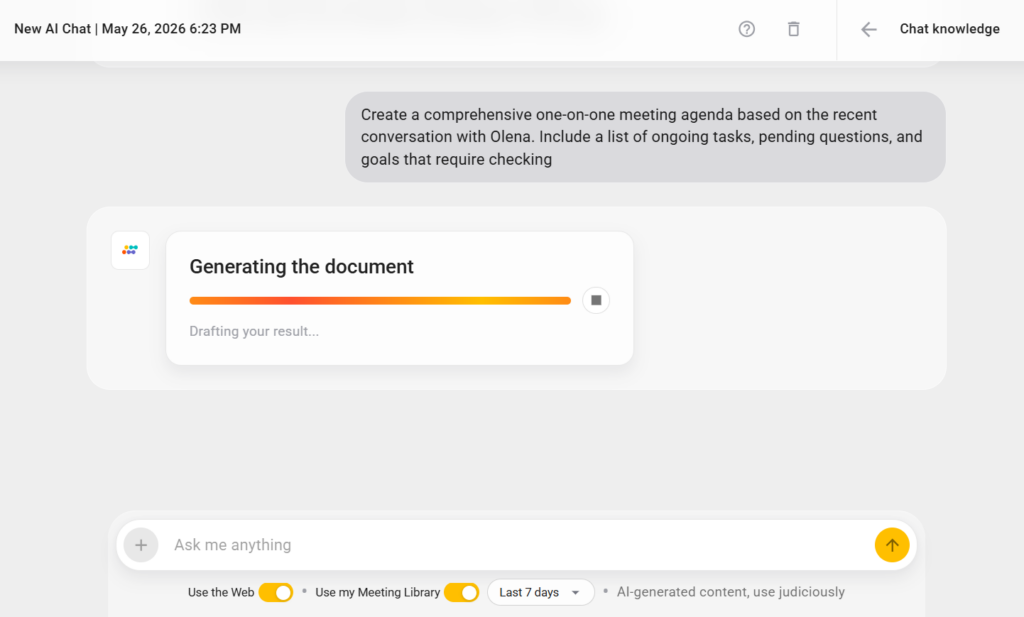
The best agendas carry over unfinished topics from the last meeting, such as open action items, unresolved questions, and goals that need a progress check. I usually draft mine from the previous few 1:1s using Sembly.
Here are the steps I follow:
- Go to the My AI Chats tab of your account.
- Click the “Add New AI Chat” button.
- Ask Sembly, “Create a comprehensive one-on-one meeting agenda based on the recent conversation with [Employee Name]. Include a list of ongoing tasks, pending questions, and goals that require checking.”
3. Let the Employee Lead a One-on-One Meeting
Open with the employee’s topics and let them set the priorities. The meeting exists for them, so they should drive it. Ben Horowitz put the ratio bluntly: in a good 1:1, the manager talks 10 percent of the time and listens 90 percent. That is the opposite of how most managers run them.
When I was the report, the managers I valued most opened with:
- What’s been on your mind lately?
- What’s been annoying you this week?
- What do you need more help with?
- Anything you’ve been meaning to bring up?
- How are you feeling about the work lately?
When I run them, I try to talk less than 20% the time, which is harder than it sounds, trust me! However, the discipline here is to let the other person choose what matters rather than walking in with your list. Besides, why would an employee care about that list?
4. Talk About Workload, Feedback, and Growth
Bring three kinds of questions to every 1:1: one about priorities, one about feedback, and one about growth. It keeps the meeting from turning into a project update and shows you care about an employee more than this week’s output.
Some of the most useful questions are simple.
Workload and Priorities
- “What is slowing you down right now?”
- “Does the workload feel realistic?”
- “What is taking more time than expected?”
- “What feels unclear at the moment?”
- “Do you have all the tools you need for work? Is there any AI agent or assistant that our team could benefit from?”
Leadership and Culture
- “What could I do better as your manager?”
- “Is there anything annoying you that we have not talked about?”
- “Do you see our company culture in action, or do you feel like it’s limited to words only?”
- “What would you change about the way our team works?”
- “Is there anything that annoys you or prevents you from working effectively?”
Growth
- “What kind of work do you want more of?”
- “What skills do you want to build this year?”
- “What do you want your role to look like a year from now?”
5. Choose a Repeat a Question and Compare Results across One-on-Ones
Think of it as a continuation of the previous step. Among those questions you ask your employees in one-on-one meetings, pick one, write down the answer, then ask the same question four weeks later.
“What is your biggest frustration right now?” in week one, gets an answer. The same question in week five gets another. If the answer changed, something moved. If it is the same word-for-word, you have a stuck problem that you have both been stepping around. This is one of the most underrated 1:1 techniques I have used: it makes invisible patterns visible without any extra tools or frameworks.
Surely, not every question works for this. Here are the questions I return to most and what the answers tell me when I compare them over time.
- “What part of your work drains you the most?” A changing answer means the person adapts and moves past problems on their own. The same answer repeated over two or three months means they are stuck in a role or task that is wearing them down.
- “What would you change about how our team works?” When this answer stays the same, you are looking at a systemic issue the person has raised, and nobody has addressed. When it changes to something new, the original friction either got fixed or stopped mattering, and both of those are useful to know.
- “Do you feel like your work is noticed?” This one is personal, and people hedge the first time you ask it. The second and third time, they are typically more honest. If the answer stays some version of “not really” across two months, you have a recognition gap that is a good motivation topic to cover on the next team call.
- “What skill do you wish you had time to build?” A consistent answer tells you what the person cares about growing into. A changing answer often means they are still figuring out their direction, which is its own useful signal for how you coach them.
- “What is the one thing I could do differently as your manager?” The first time you ask, expect a safe answer. The second time, expect a slightly more honest one. By the third round, if the answer has not changed, either you did not act on it (and they noticed), or they do not trust the question yet. Both are important to know.
The technique works because a single answer is a snapshot, but two answers a month apart are a trend.
Use advanced AI tools for business, such as Sembly, to analyze employee responses across time, compare results, and identify areas for improvement.
6. Report on Your Own Action Items First
This tip is my personal favorite: at the start of every one-on-one meeting, tell the employee what you committed to last time and what happened since then. Why? Well, in my experience, most 1:1s start with the manager checking on the employee’s commitments, which makes the meeting feel like an inspection. When the manager goes first, it signals that accountability runs in both directions. The employee sees their manager taking commitments seriously, which makes them take their own items seriously too. It also kills the dynamic where the 1:1 feels like self-evaluation disguised as a conversation.
Keep a visible “my commitments” section in your shared document. Track what you owe the employee with the same structure you track what they owe you: task, owner, deadline. If you promised something and did not deliver, say so and explain why. Honesty about your own missed items earns more trust than a perfect track record ever would.
Consider using asynchronous communication tools to stay in touch with employees without having to work simultaneously or scheduling daily online meetings.
7. Keep an Observation List Between One-on-One Meetings
Between 1:1 meetings with employees, draft a two-line note whenever you see something worth mentioning, or use AI note-takers to automate the process completely. This way, by the time the 1:1 arrives, you have three specific observations instead of a vague “things are going well.”
This solves two problems at once. The first is recency bias: without notes, you remember only the last two or three days. The second is vagueness: feedback on a specific moment lands ten times harder than feedback on a feeling. I’m confident we can all agree with this one, right?
The list also builds the raw material for leadership performance reviews. When review season arrives, you have months of dated observations, your actions, and results. This time, you’ll know exactly how to evaluate your role as a team leader.
What Are the One-on-One Meeting Scenarios and Tips for Each?
The best practices above cover the regular, recurring one-on-one meetings with an employee. However, some of the hardest conversations are the ones that break the pattern. It could be a first call with someone you have never managed, a week where neither of you has anything to say, a 1:1 over video with someone three time zones away, or the meeting where you have to say something the other person does not want to hear. These are the situations where managers, including myself back in the day, feel least prepared.
One-on-One Meeting with a Newcomer
This is the meeting that shapes every meeting after it. The goal is to agree on how you will work together, before there is any work to review.
In my experience, it is best to ensure to cover four things:
- How often you will meet and how long.
- What the meeting is for and what’s their gain.
- How they prefer to receive feedback: in the moment or saved for the one-on-one meeting, direct or softened.
- What a “good manager” means to them, and what their best previous working relationship looked like.
The first meeting is where you agree on format, frequency, and who adds what. Set that norm on day one, and you skip the months of guessing that follow when you don’t.
Async or Remote One-on-One Meetings
Remote or async professionals need one-on-one meetings no less than their office colleagues, because the hallway conversations that used to surface problems no longer happen. Their frustrations, blockers, and feedback now have to come out on a 1:1, or they do not come out at all.
As someone who’s tried both office and remote work, I have a few recommendations that can help you get started:
- Turn your camera on: A camera-off one-on-one meeting loses the most valuable signal in the conversation, which is the person’s face. A flat tone, a pause before answering, a slight hesitation before saying “everything’s fine,” these are the things that tell you the real answer.
- Treat setup as its own agenda item for new remote reports: In the first 1:1, agree explicitly on how you will stay in sync between meetings: which channel for quick questions, what warrants a message versus a meeting, how quickly each of you responds to async messages, and what “urgent” means in practice.
- Use a shared document to separate async updates: Ensure employees can add their updates, blockers, and questions to a shared running document. The live meeting then skips the recap entirely and goes straight to the discussion. For remote teams and hybrid teams where the employee is in a different time zone, the shared document becomes even more important.
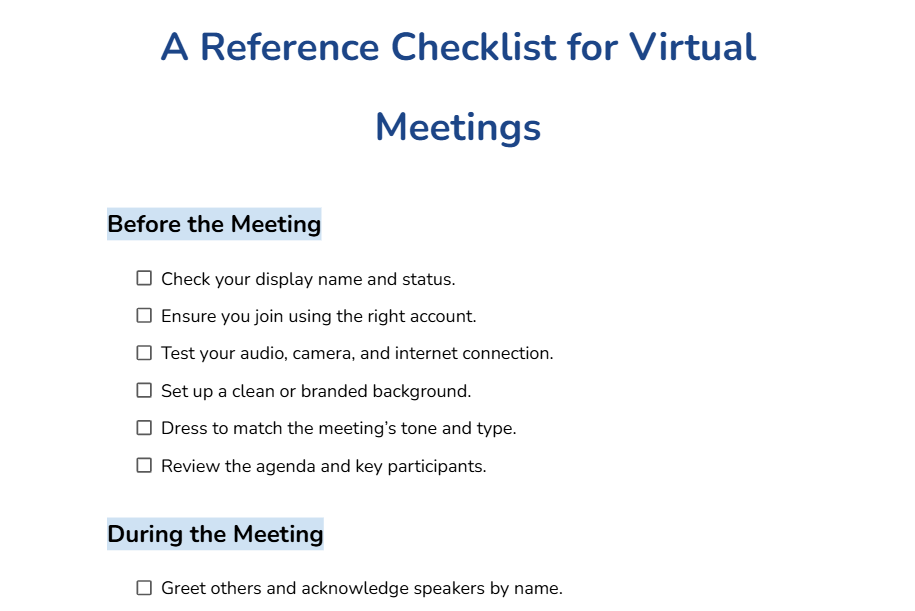
- Follow virtual meeting etiquette: Before the call starts, close the inbox, set Slack to away, and say so out loud: “I have everything closed, just us.” It signals to the other person that the next thirty minutes belong to them, which is harder to convey remotely than it sounds.
- Use async one-on-one meetings to address time zone limitations: A full async 1:1 is not the same as a live one, but it is far better than nothing. The exchange still creates a rhythm and a record even when you cannot share a time slot. Keep a live meeting on the calendar at whatever frequency the time zones allow, even if it is monthly, because some conversations only happen face to face.
- Watch for the signals that remote hides. In an office, you notice when someone seems off before they say anything. Remotely, you only see what the camera shows during the meeting itself. Compensate by asking directly: “You seem a bit quieter than usual, is everything okay?” In a remote context, it is often the only way to catch something before it becomes a problem.
Skip-Level One-on-One Meetings
A skip-level one-on-one is a meeting between an employee and their manager’s manager, with no direct manager in the room. I have been on both sides of this one, and the experience is completely different depending on which chair you are in.
Traditionally, I have gathered some tips for both cases.
Tips for Senior Leaders
The biggest mistake I see is scheduling a skip-level with no explanation. The employee immediately wonders if they are in trouble. The direct manager wonders if they are being evaluated.
When I run these, I open by explaining what I do with the information: “I use these conversations to understand where the team has support gaps and where I can remove obstacles. I am not here to evaluate you or your manager.” People give honest answers when they understand the intent.
Here are the questions that surface useful information:
- “What does the team spend time on that feels like the wrong priority?” This surfaces misalignment between what leadership thinks is happening and what is actually happening on the ground.
- “Where do you feel like you are waiting on something to move forward?” Almost always identifies a blocker the direct manager is either too close to see or too junior to remove.
- “What would make your work meaningfully easier in the next three months?” Specific enough to produce real answers rather than vague wishes.
- “Is there anything you think I should know that probably has not made it to my level?” I ask this one last, after the conversation has warmed up. Some people will not answer it, but the ones who do usually tell me something I genuinely needed to hear.
Tips for Middle Managers
I remember my first skip-level with a head of the department, feeling like a test I had not studied for. It is not. It is one of the few chances you get to put something on the radar of someone who has the authority to actually fix it.
Prepare the same way you would for any 1:1: with specific observations rather than vague feelings. Use it to raise what needs a more senior decision. Budget constraints, cross-team dependencies, and strategic direction are exactly the things a skip-level exists to surface. If your blocker is above your direct manager’s authority, this is the right room to say so.
Difficult One-on-One Meetings: Conflict, Underperformance, and Bad News
The hardest one-on-one meeting I ever had to run was a conversation where I had to tell someone their role was being restructured. The instinct to soften, delay, or rush past the hard thing is human. However, it is also the thing that makes the meeting fail.
Instead, I recommend doing the following:
- For conflict, state your read and then genuinely ask for theirs, because the version of events you have may be incomplete.
- For underperformance, be specific about the gap between what was expected and what happened, and keep it about the work.
- For bad news, a cancelled project, a denied promotion, deliver it plainly in the first two minutes. Do not build to it. Do not soften the approach. Then, give them room to react, to go quiet, to be upset, without you rushing to make it more comfortable for yourself.
My point here is simple: say the hard thing clearly, then stop talking and let them respond. In all three cases above, the recovery happens in the listening, not the telling.
What Are the Signs that One-on-One Meetings are Ineffective?
There are seven signs your one-on-one meetings are not working: the same problems surface every week, action items carry over untouched, the employee always says everything is fine, the agenda is empty, the conversation ends early with nothing agreed, you learn about problems from someone other than the employee, and the employee stops bringing their own topics altogether.
As someone who prefers an old-fashioned DOs and DONTs comparison tables, I have prepared one for you:
|
Signs of Effective One-on-One Meetings
|
Signs of Ineffective One-on-One Meetings
|
|---|---|
|
The employee tells you about a problem before you find it yourself
|
You hear about issues from someone else or after a deadline passes
|
|
Employees disagree with you and explain why
|
Employees agree with everything and raise concerns with peers instead
|
|
Action items from previous meetings are done or explicitly renegotiated
|
The same commitments reappear week after week
|
|
Employees reference something from a past 1:1 without being prompted
|
Every one-on-one meeting is isolated; disconnected from previous conversations
|
|
Employees tell you something is wrong before it shows up in their work
|
You realize someone was struggling only after their output dropped
|
|
The meeting runs its full time because the conversation has somewhere to go
|
It ends ten minutes early every week because both a manager and an employee are going through the motions
|
The last row is the one worth watching most closely. A one-on-one meeting that consistently ends early is likely a meeting where one or both participants have quietly stopped investing in it. This pattern rarely reverses without a deliberate change to how the meeting is run.
Wrapping Up
A good one-on-one meeting runs on a schedule, follows a shared agenda, and belongs to the employee. The practices here are the ones I come back to week after week. The three that changed my meetings the most are the repeat-question technique, reporting on my own action items first, and the “things I noticed” list. Each one takes less than five minutes of prep and produces a conversation that would not have happened otherwise.
If you take one thing from this guide, let it be this: the value of a 1:1 is not in any single meeting. It is in the thread that builds across months of them. A single conversation can solve a problem. A series of good conversations, where commitments carry forward, patterns get noticed, and both people prepare, is what turns a working relationship into a strong one.
FAQ
How do you know if your one-on-one meetings are effective?
Look for 7 signs of ineffective one-on-one meetings:
- Employees raise problems before you find them yourself
- Employees disagree with you and explain why
- Action items from previous meetings are completed
- Employees bring topics you did not expect
- Employees reference past conversations without prompting
- Employees share personal concerns before those affect their work
- Employees give you feedback on your management style
If three or more of these are missing, the meeting needs a structural change.
What is the best frequency for one-on-one meetings?
Weekly for new hires, people in new roles, or anyone going through a high-change period. Every two weeks for experienced employees in stable positions. Monthly one-on-one meetings may work for freelance professionals or part-time employees.
How long should a one-on-one meeting be?
Twenty-five to forty-five minutes. Thirty minutes is enough for a focused conversation. Forty-five gives room for the deeper topics that need more space.
How do you give negative feedback in a one-on-one meeting?
Be specific, be early, name the gap between what was expected and what happened, keep it about the work, and then let the employee respond.
The most common mistake is softening the message so much that the person leaves unsure anything was wrong.
What is a skip-level one-on-one meeting?
A skip-level is a meeting between an employee and their manager’s manager, with the direct manager not in the room. It gives leadership teams a ground-level view of how the team operates and gives employees a way to raise issues that need higher authority to resolve: budget, cross-team dependencies, or strategic direction.
How do you run remote one-on-one meetings?
Default to video so you can read tone and expression, and give the call full, device-free attention. For time-zone gaps, use a shared document for updates ahead of time so the live slot goes to discussion.
What should you do when there is nothing to talk about in a 1:1?
Use the quiet week for the conversations for deep-level discussions. Ask employees what they would change about how the team works, what they are learning, where they want to be in a year.