
Table of Contents
ToggleWhat if your project charters, risk registers, or training scripts could write themselves? I am not talking about templates or basic automation, but high-quality outputs based on the available content. This could turn stakeholder communication into precise briefs and safety logs into predictive risk matrices. There is so much potential with generative artificial intelligence up your sleeve, isn’t there? In project management, where ideas flow nonstop, GenAI tools can make a difference, if only you could understand all the nuances.
In this article, we will study a definition, key benefits, use cases, as well as review the best generative AI for project managers. By the end of the guide, you will navigate the topic with confidence and will know how to choose the best solution for your team. Let’s get started!
What Is Generative AI?
Generative AI is a category of artificial intelligence that creates new content, such as text, images, code, audio, or data, based on the learnt patterns. It uses large language models (LLMs) or multimodal models like GPT-4, Claude, DALL-E, and Gemini to interpret natural language inputs and generate high-quality results. The key is that generative AI does not just complete tasks, but creates artifacts that would otherwise require human input.
Example: You upload a 45-minute recording of the recent stakeholder meeting. Sembly analyzes the audio, identifies key decisions, risks, and blockers, and drafts a risk register with owners and timelines.
What Is the Difference Between GenAI and AI?
Unlike traditional project management AI, generative AI models produce original outputs depending on the entered prompts. These results come in all sizes and shapes and can be meeting summaries, project briefs, visual mockups, risk reports, training materials, or even schedules.
Let’s examine the differences between traditional AI and generative AI in a brief table:
|
Aspect
|
Traditional AI
|
Generative AI
|
|---|---|---|
|
Main function
|
Analyzes, classifies, and predicts based on input data
|
Creates new content or data based on learned patterns
|
|
Type of output
|
Labels, scores, decisions, and more
|
Text, pictures, code, video, audio, etc.
|
|
Key capability
|
Pattern recognition and rule-based automation
|
Content generation using large-scale language or multimodal models
|
|
Input format
|
Structured or semi-structured data
|
Natural language prompts, files
|
|
Dependency on human prompts
|
Limited
|
High
|
|
Project management use
|
Task automation, optimization of workflows, and sending schedules, as well as predictive analytics
|
Drafting project change requests, generating meeting summaries, creating briefs, and stakeholder updates
|
|
Examples of Tools
|
Microsoft Azure ML, rule engines
|
Sembly, Jasper AI, Claude, GitHub Copilot, Synthesia, Google AI Studio
|
What Are the Benefits of Generative AI for Project Management?
Generative AI helps project managers save time, reduce manual work, and make better decisions. Think of it as a creative assistant that turns data or conversations into precise outputs, such as meeting recaps and action plans. My favorite part? With advanced models, professionals no longer have to choose between speed and precision, as GenAI successfully provides both.
In case you are still hesitant about the value for your team, let’s take a look at the recent research:
- 93% of project managers who use generative AI for more than half of their tasks report increased productivity (PMI).
- Current generative AI solutions have the potential to automate tasks that take 60-70% of work time (McKinsey).
- 89% of project professionals report a positive impact on problem-solving (PMI).
- 67% of specialists believe that generative AI will improve project management efficiency (Project.co).
- More than 50% of project professionals state that generative AI tools have significantly optimized task management across the project lifecycle (PMI).
- Almost 60% of professionals state that GenAI positively influenced project quality (Project.co).
- Around 46% of project managers utilize generative AI for risk management assistance (PMI).
The conclusion? Some of the best examples of GenAI in project management have the potential to improve problem-solving, simplify risk assessment, and increase employee productivity. As a result, professionals can dedicate more time to managing their projects, rather than completing simple tasks.
What Are the Use Cases of Generative AI in Project Management?
Generative AI tools for project managers bring value into every stage, from initial planning to release. They can help professionals communicate, document important details, and deliver results that exceed expectations. Naturally, there are numerous use cases you can come across, so I suggest that we review the top 4.
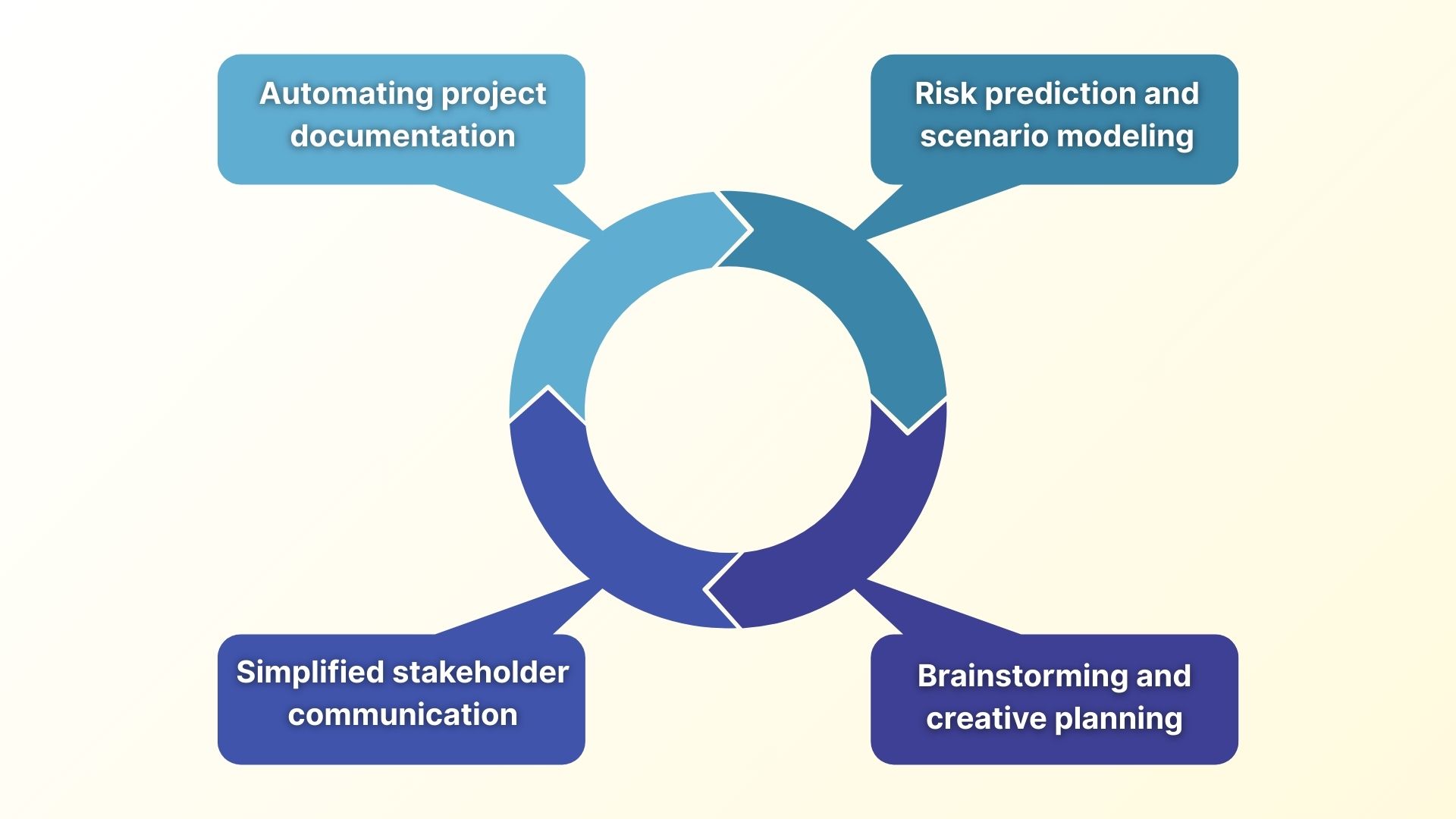
Automating Project Documentation
Generative AI helps project managers create essential documents automatically. It extracts key insights from meetings, emails, or notes to build structured drafts that are easy to customize and share. As a result, professionals can speed up planning, keep documentation consistent, and reduce time spent on administrative tasks.
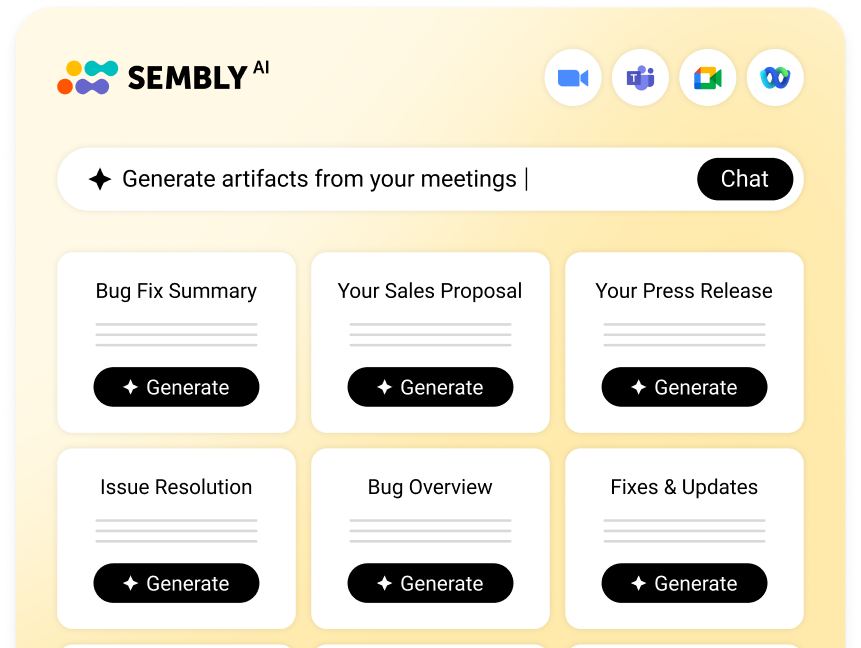
Tip: Advanced AI note-takers, such as Sembly, can generate comprehensive project documentation, such as change requests or sprint reports, based on the meeting content.
Improving Risk Prediction and Scenario Modeling
Another advantage of generative AI tools for project management is that they can identify patterns in your project data to flag risks and suggest mitigation strategies. This way, professionals can act proactively and prevent risks from happening in the first place.
Prompt example: Based on [Project Name 1] and [Project Name 2], what are the top 3 risk factors for timeline slips in similar migrations?
Simplifying Stakeholder Communication
Generative AI for project management can repurpose complex project updates into personalized messages for different audiences: executives, engineers, clients, or partners. It’s quite useful when managing complex workstreams that span departments or time zones, where alignment is critical.
Prompt example: Summarize the attached meeting for [Product Lead] and [Marketing Head], highlight blockers by workstream, and list required approvals.
Brainstorming and Creative Planning
Last but not least, GenAI project management software can help professionals structure and develop their ideas. It takes the initial prompt, such as a project goal or a challenge, and returns a complete draft with timings, speaker roles, and agenda points. Additionally, it can help identify information gaps or inconsistencies early.
Here are a few ideas for using GenAI for project management:
- Drafting scripts for training videos and onboarding plans
- Writing user stories or test plans
- Creating project launch agendas
- Generating stakeholder personas
How to Choose Generative AI for Your Project Team
Here comes the main question: How do you choose the best AI tools for project management? Yes, there is a lot of advanced and proven software on the market, but the key lies in finding the right fit for your business. That’s where the challenge is.
In this section, I have prepared a brief checklist and an overview of 6 steps that will help you select the GenAI solution.
- Define the use case by workstream and role: Analyze where GenAI brings the most value. Is it project documentation, schedule forecasting, content marketing, or anything else? You can talk to scrum masters, product coaching professionals, and other teams to understand their goals.
- Assess input types and GenAI capabilities: The next step is to ensure your GenAI tool accepts the formats your team members use. Some apps focus on visual outputs, and others revolve around technical ones, so verify that the solution has what you need most.
- Check integration and compliance: The best generative AI for project managers integrates with Jira, Mural, PMBOK-aligned tools, and data platforms. Additionally, check whether the app complies with GDPR and HIPAA and provides the required security certifications.
- Measure outcomes vs. project KPIs: Ask yourself: Does the solution help improve project completion rates? Can it reduce resource conflicts? Can it improve stakeholder relationships? The key is to choose the tool that brings you closer to success, not complicate your path.
- Evaluate prompt quality: The next step is to check whether the tool supports prompt templates, patterns, or chains. Solutions such as IBM WatsonX Prompt Lab and Microsoft 365 Copilot can provide enterprise prompt engineering support.
- Check for context retention: Prioritize GenAI tools for project management that can retain session context. This will help professionals get high-quality outputs.
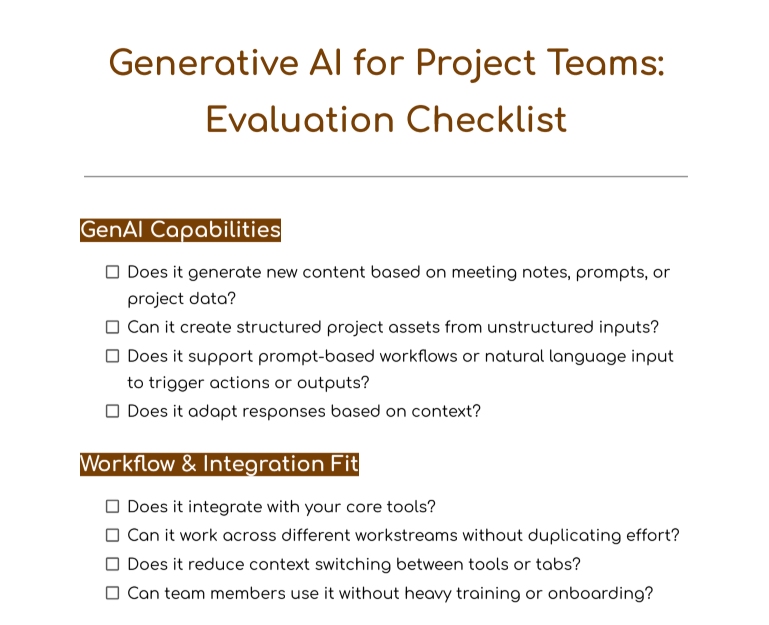
Generative AI Tool Checklist for Project Management
This GenAI checklist is designed for project managers, team leads, and operations professionals who need to assess tools. It includes core GenAI capabilities, integration fit, impact on project delivery, security and compliance, and long-term ROI.
5 Best Generative AI Tools for Project Managers
Nothing speaks better about artificial intelligence in project management than a few practical examples, right? In this section, we will review the tools that provide GenAI features and help professionals optimize creative (or not) tasks, while ensuring a positive user experience.
Sembly AI
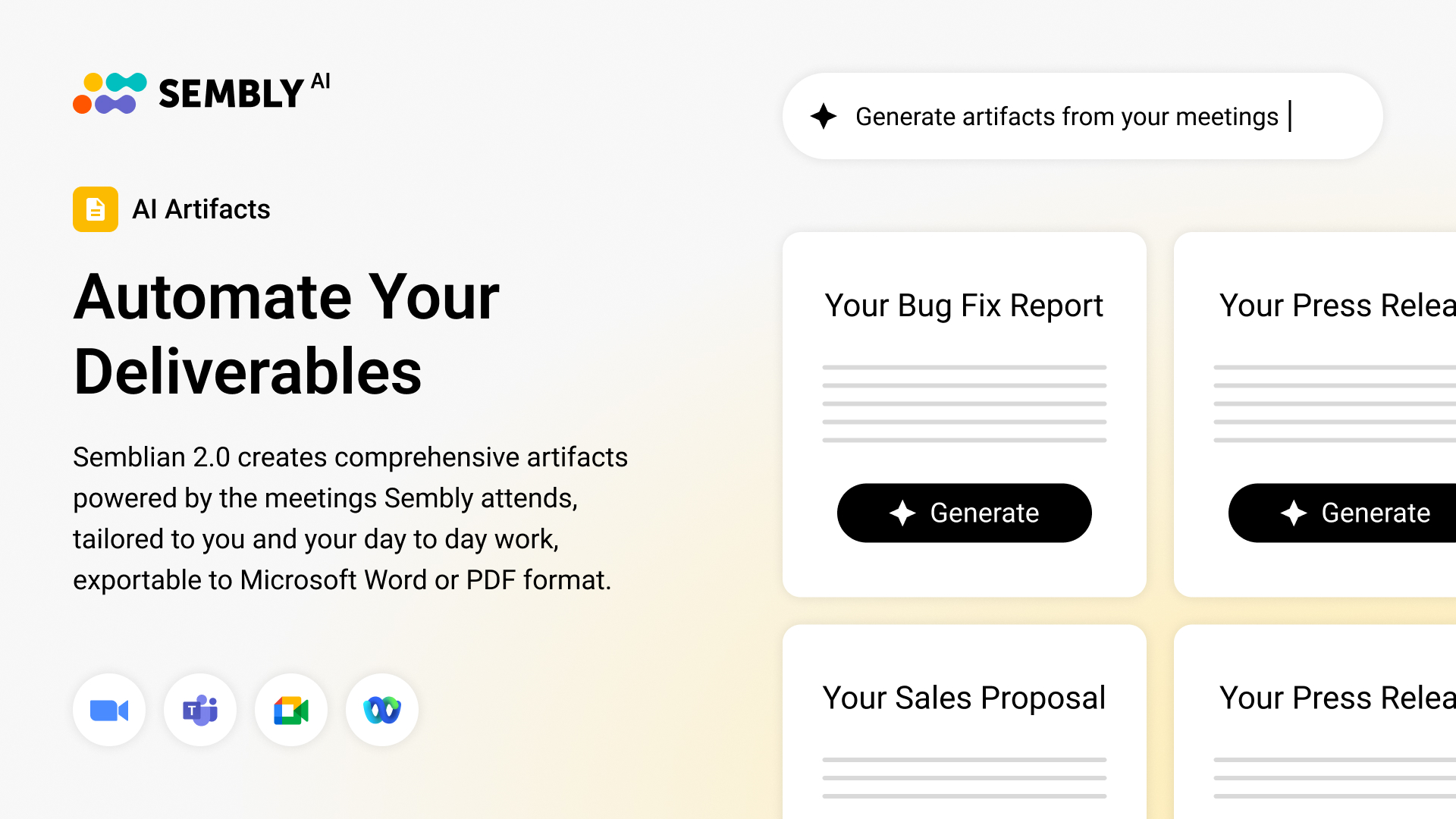
Can an AI note-taker automate complex project deliverables? Sembly can. Transcribed conversations and meeting notes are the basics that surprise no one. Gone are the days when AI could answer simple questions and win people over. What professionals need now is value. The Sembly team analyzed pain points for project managers and ensured that the time-consuming and tedious parts of their work became effortless.
Key Features
- Generates comprehensive post-meeting documentation: project plans, status reports, risk mitigation strategies, retrospective or QBR reports, and more.
- Analyzes repetitive patterns or conversation trends.
- Generates personalized follow-ups after meetings.
- Identifies information gaps based on the meeting content to optimize knowledge management.
- Creates meeting notes and summaries in 45+ languages.
- Extracts meeting tasks with their owners, deadlines, and brief descriptions.
Best for
- Project teams with frequent meetings or cross-functional coordination.
- Project managers who want to replace manual note‑taking with AI note-taking.
- Projects that require consistent documentation, such as decisions, risk logs, stakeholder feedback, even when participants miss meetings.
Microsoft 365 Copilot
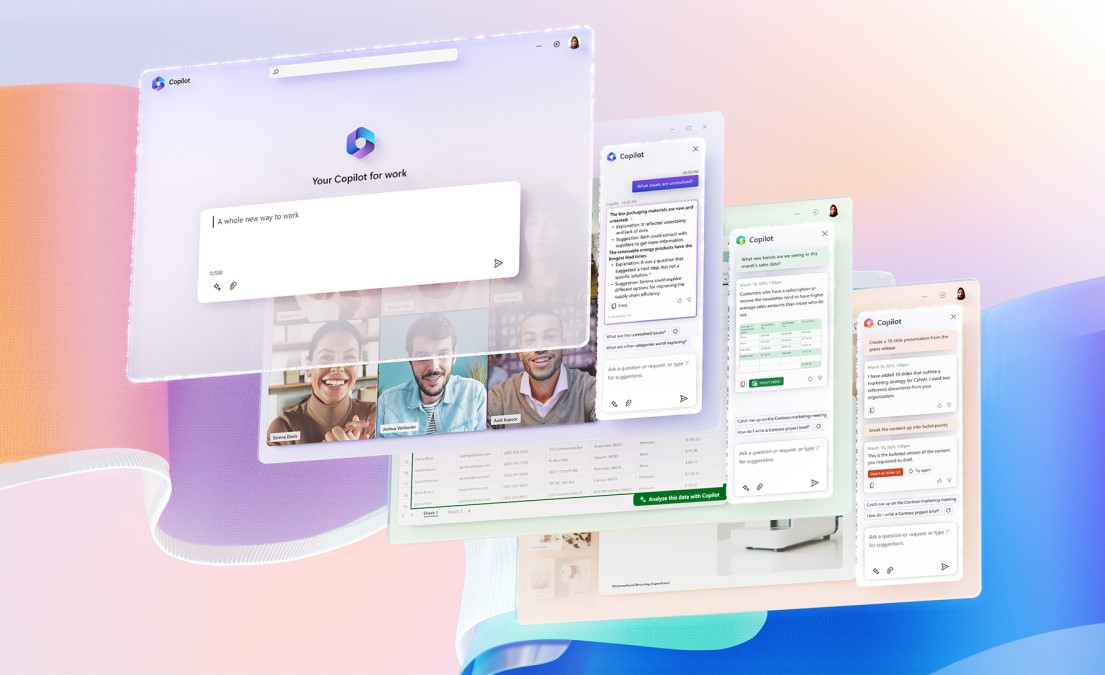
Are you looking for a generative AI for project management inside Microsoft 365 apps? Then, consider AI Copilot. It can help professionals create documents or reports, summarize email threads, and translate complex datasets into natural-language outputs. Additionally, the app connects to existing chats, emails, and calendars to provide context‑aware content that integrates directly into project workflows.
Key Features
- Generates documents, reports, consulting proposals, or emails in Word, PowerPoint, and Outlook.
- Writes auto-summaries for long documents, email threads, and meeting notes.
- Creates visuals, such as presentations or image content, based on the text prompts from the user.
- Integrates generative content creation within existing Microsoft 365 workflows.
Best for
- Organizations that already use Microsoft 365 tools.
- Project managers who need to create proposals, status reports, stakeholder updates, or internal documents.
- Teams that want to optimize (and automate) document creation.
Asana
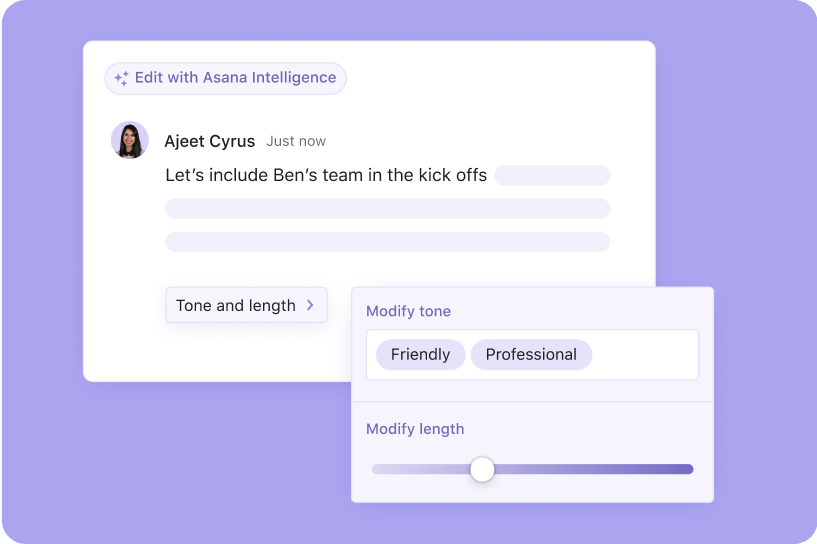
Asana is a cloud-based platform designed to coordinate projects, tasks, and team workflows. It can help project managers break complex projects into small tasks, as well as track progress on timelines, Kanban boards, or list views. It’s a good choice for managers who need to align daily tasks with strategic goals, giving both team members and stakeholders full visibility. It offers generative AI features called Asana AI that help with creative work.
Key Features
- Creates tasks and generates project workflow based on natural‑language prompts.
- Automates repetitive or complex tasks, which helps project managers focus on strategic planning.
Best for
- Teams that use Asana for project management and want to speed up task setup, updates, and status management with GenAI.
- Project managers who need to automate repetitive tasks, status summaries, or project checklists.
- Organizations where project teams require AI support within a familiar workflow management app.
Wrike
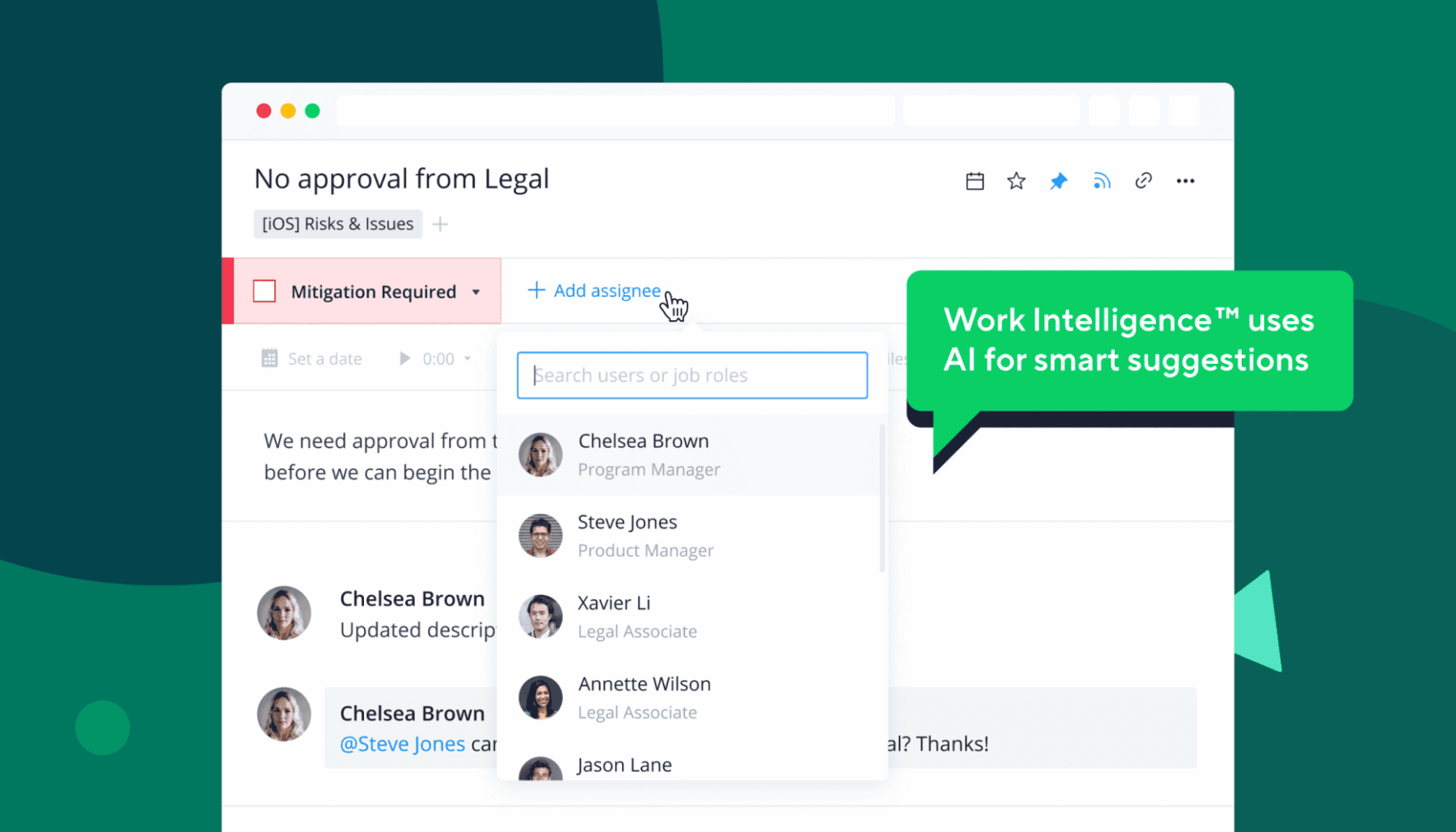
Wrike is a project management and collaboration tool that helps teams build workflows, manage resources, and track project status across departments. The platform provides centralized project hubs with interactive Gantt charts, resource allocation, and workload visibility. Wrike’s Work Intelligence can automate project documentation and assist with content management.
Key Features
- Generates project plans, briefs, meeting agendas, and comprehensive documentation.
- Evaluates project data to estimate risk levels and identify delays or budget/resource optimization options.
- Summarizes long comment threads, updates, or project discussions.
- Suggests priorities, assigns tasks, or highlights which tasks require attention.
Best for
- Cross-functional or hybrid teams that need visibility into complex projects across multiple departments.
- Project managers who work in resource-sensitive environments.
- Leaders who require predictive insights.
- Teams that manage structured workflows and require supporting documentation.
Motion
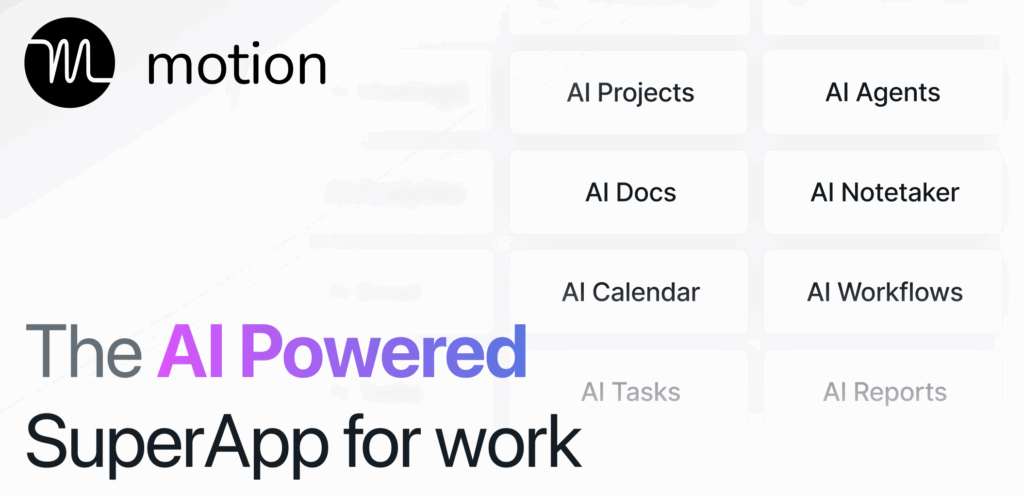
Are you interested in a productivity and work management platform that combines scheduling, task management, and prioritization? Consider Motion. The platform helps project managers balance their workload and meet all deadlines. It can generate project plans, reorganize tasks based on urgency and deadlines, and automatically schedule your calendar to match capacity.
Key Features
- Creates project plans from prompts and automatically schedules tasks based on priorities, dependencies, and deadlines.
- Captures content, summarizes discussions, and generates follow-up tasks or action items.
- Generates documents, builds report dashboards, or creates data sheets from simple natural‑language prompts.
Best for
- Busy teams with high meeting loads or unclear task structures.
- Startups, agencies, and growing teams that want to maximize output.
Wrapping Up
Project management and AI come as a package these days. However, while some professionals still feel hesitant about these solutions, forward-looking teams focus on finding the best fit. When the right GenAI tool captures meeting context, generates the next project deliverable, or identifies a blocker before it escalates, project managers get a step closer to success. The key? Define use cases, assess capabilities and prompt quality, check integrations and context retention. This way, the tool has the potential to improve the way your team works.
In this article, we have studied definitions and explored the benefits of using AI in project management. You have discovered tools, use cases, and reviewed the difference between GenAI and traditional AI. I hope from now on you will navigate the topic with confidence. Good luck!
FAQ
What is the role of generative artificial intelligence in project management?
Generative AI can analyze performance data, create visuals, and generate project content. It can also help with risk forecasting, resource allocation, timeline optimization, and documentation.
How to use GenAI for project management?
Here are some of the common use cases:
- Draft project briefs, charters, or proposals based on meeting content or prompts
- Summarize stakeholder meetings
- Auto-generate task plans and schedules
- Organize project knowledge
- Create personalized updates for different audiences
- Automate recurring content
What is the best generative AI tools for writing project briefs?
Sembly is the best solution to automate project briefs. It can create comprehensive documents based on the available meeting content.
Additionally, it creates precise meeting notes and summaries, extracts tasks and generates AI insights to make the most out of your project-related calls.
Will AI replace project managers?
No, AI is a tool, not a replacement. While it can automate admin work, project managers still handle strategic tasks and most of communications with stakeholders. Humans set the direction for AI tools to follow.
How do projects benefit most from GenAI?
Here are the key benefits GenAI brings for project management teams:
- Faster document creation
- Better visibility into risks and the project’s progress
- Stronger team alignment
- Reduced admin load
- Improved accuracy
What is the difference between GenAI and traditional AI?
Traditional AI analyzes or classifies data, while generative AI creates new content.
For example, a generative tool can use meeting transcripts to create comprehensive documentation or project drafts. Traditional AI can automate sequence sending.
- Multi-meeting chats
- AI Insights
- AI Artifacts

You might also like
