
Table of Contents
ToggleWhat’s common among professionals who report revenue benefits, and 64% of those who mention introducing innovations to their companies (McKinsey)? I’ll be direct: it is AI assistants. Organizations, including professional services, experienced the largest increase in AI adoption, with more than 2/3 of respondents now using AI in more than one business function, and half report using AI in three or more functions (McKinsey).
While this seems like a positive shift, adoption alone does not guarantee success or competitive advantage. As it appears, only 6% of organizations achieve high performance from AI, defined as 5% or more EBIT impact (McKinsey). So, what’s with the gap?
The difference between organizations that capture value and those that do not lies in 3 factors: tool selection, integration with existing software, and focused implementation. In this article, I will provide 10 proven AI tools that consulting teams need to remain competitive. You will discover key benefits and main categories of AI platforms to navigate the selection with confidence. Let’s dive in!
What Are the Benefits of Using AI Tools for Consultants?
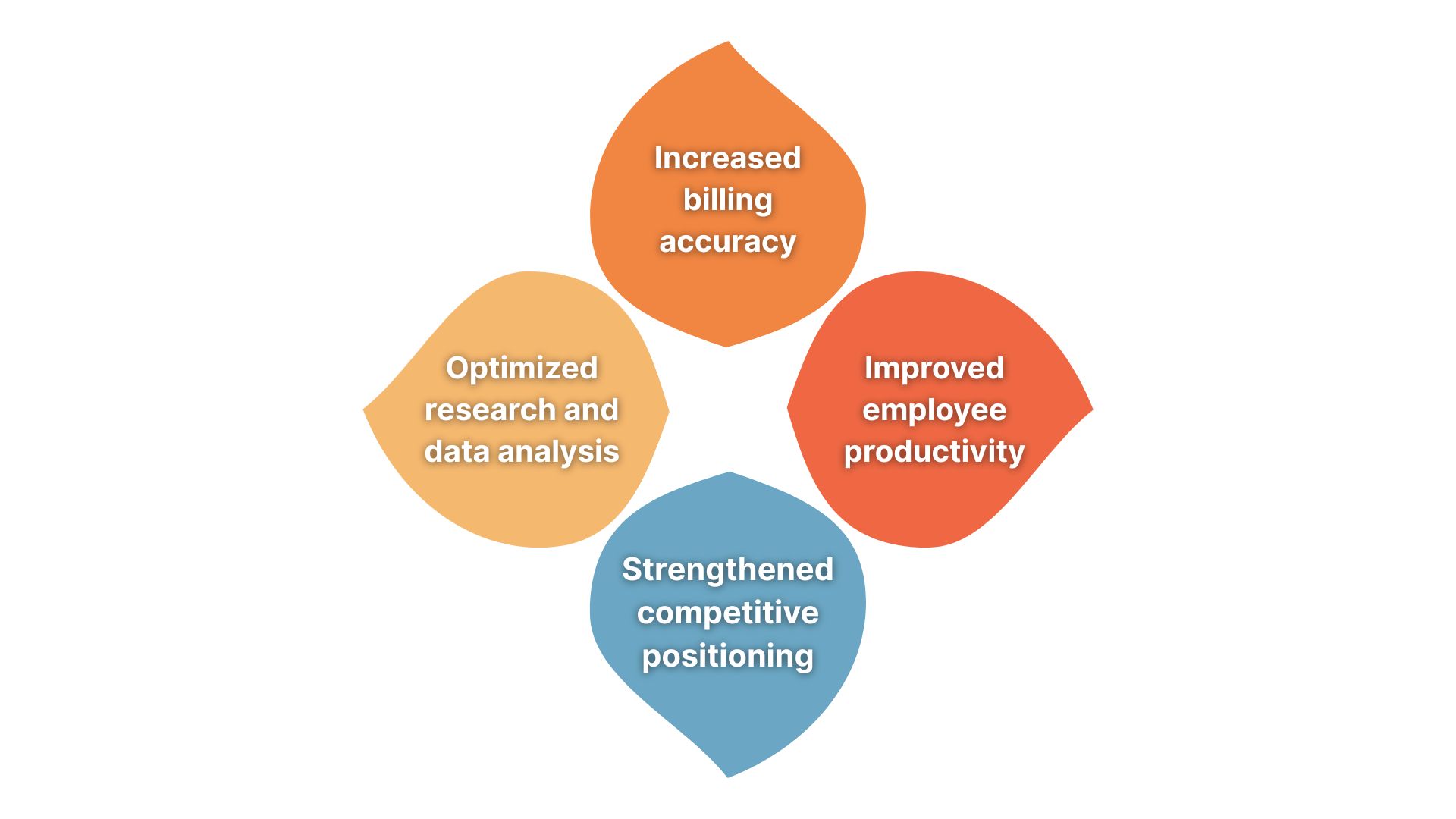
AI solutions help consulting professionals solve 4 main problems: low productivity, weak competitive positioning, low-quality billing, and shallow market research. Surely, these are not the only issues artificial intelligence can address, but they are the major ones that have the most impact on teams, and thus, I’d like to focus on them specifically.
Below, I have prepared a brief overview of the benefits with recent statistics to prove the point:
- Improved productivity: Professionals using generative AI can save around 5.4% of work hours (Federal Reserve Bank of St. Louis). Furthermore, consultants who used artificial intelligence completed 12.2% more tasks on average, and completed them 25.1% faster (HBS).
- Optimized research and data analysis: AI research platforms help reduce market analysis timelines by collecting and combining data from multiple sources.
- Increased billing accuracy: Businesses that record and track their time manually lose around 20-30% of billing hours (Google Cloud).
- Strengthened competitive positioning: Around 86% of consulting clients now look for organizations that incorporate AI and technology, rather than use them as a premium option (IBM).
The conclusion? Decent AI tools for consultants address specific workflow problems where manual processes often lead to competitive disadvantages, revenue leakage, and capacity limits. However, it all starts with understanding what you would like to improve. The next section I have prepared will help you assess whether the tool has the potential to grow your business or make your workflows even more chaotic.
What Are the Key Points to Consider When Choosing AI Tools?
Some companies in the consulting industry commit to AI tools based on feature lists. The result is rather negative as they also often watch adoption rates drop within the first few months. I’ve seen this happening. There is nothing wrong with the applications; they just don’t fit actual workflows or solve problems.
Tool selection determines whether AI delivers measurable ROI or becomes another unused software expense. Here’s what actually matters when evaluating options:
- Calculate time recovery: Measure how many hours each solution recovers weekly, multiply by your billing rate, and compare with the monthly cost. If a tool costs $300/month but only saves 1 hour per week at $150/hour rates, you’re likely losing money.
- Verify integration and data compliance: Check whether tools connect with your calendar system, video platforms, and CRM before purchase. Also, confirm SOC 2 Type II certification for client data and GDPR compliance.
- Test output quality: Generate sample outputs during trials and assess whether they require minor edits or major updates. AI platforms that require complete rewrites often complicate your business processes even more, so it’s best to avoid them.
- Assess learning curve: AI software that requires 10+ hours of training often delays ROI by weeks. The best tools usually show value within 3-5 days and let users achieve proficiency in a few hours.
- Implement gradually: Deploy one app category at a time, master it for 30 days, measure results, then add the next. When you deploy tools for AI proposal creation, reporting, etc., the chances of identifying which app actually delivers value decline, so take it slow.
What Are the 9 Must-Have AI Tools for Consultants?
Now that the key points are handled, I think we can answer the main question: What are the best AI tools for consulting teams? I am about to show you 5 categories of apps: meeting intelligence, research platforms, time tracking, scheduling, and project management. These cover areas where consultants spend a lot of time on necessary but unpaid work.
|
Tool
|
Category
|
Use Cases
|
Best For
|
|---|---|---|---|
|
Sembly AI
|
Meeting intelligence
|
Automated project documents, call summaries, tasks, notes, meeting analytics
|
Consultants with busy meeting schedules
|
|
AlphaSense
|
Research platform
|
Market, company, and industry analysis
|
Strategy and financial consultants
|
|
Crayon
|
Research platform
|
Competitor updates and market context
|
Competitive and market advisory work
|
|
Timely
|
Time tracking
|
Billable time records and activity timelines
|
Hourly-billed consultants
|
|
Motion
|
Project & task management
|
Daily work plans and task prioritization
|
Consultants who manage multiple projects and face deadlines
|
|
Reclaim
|
Scheduling
|
Focus time and workload protection
|
Consultants overwhelmed by meetings
|
|
Calendly
|
Scheduling
|
Meeting booking and availability coordination
|
Client-facing consultants
|
|
Qwilr
|
Proposal creation
|
Interactive proposals and sales documents
|
Consultants who focus on presentation quality
|
|
PandaDoc
|
Proposals & contracts
|
Proposal approvals, contracts, and signatures
|
Teams that handle frequent commercial documents
|
1. Sembly AI
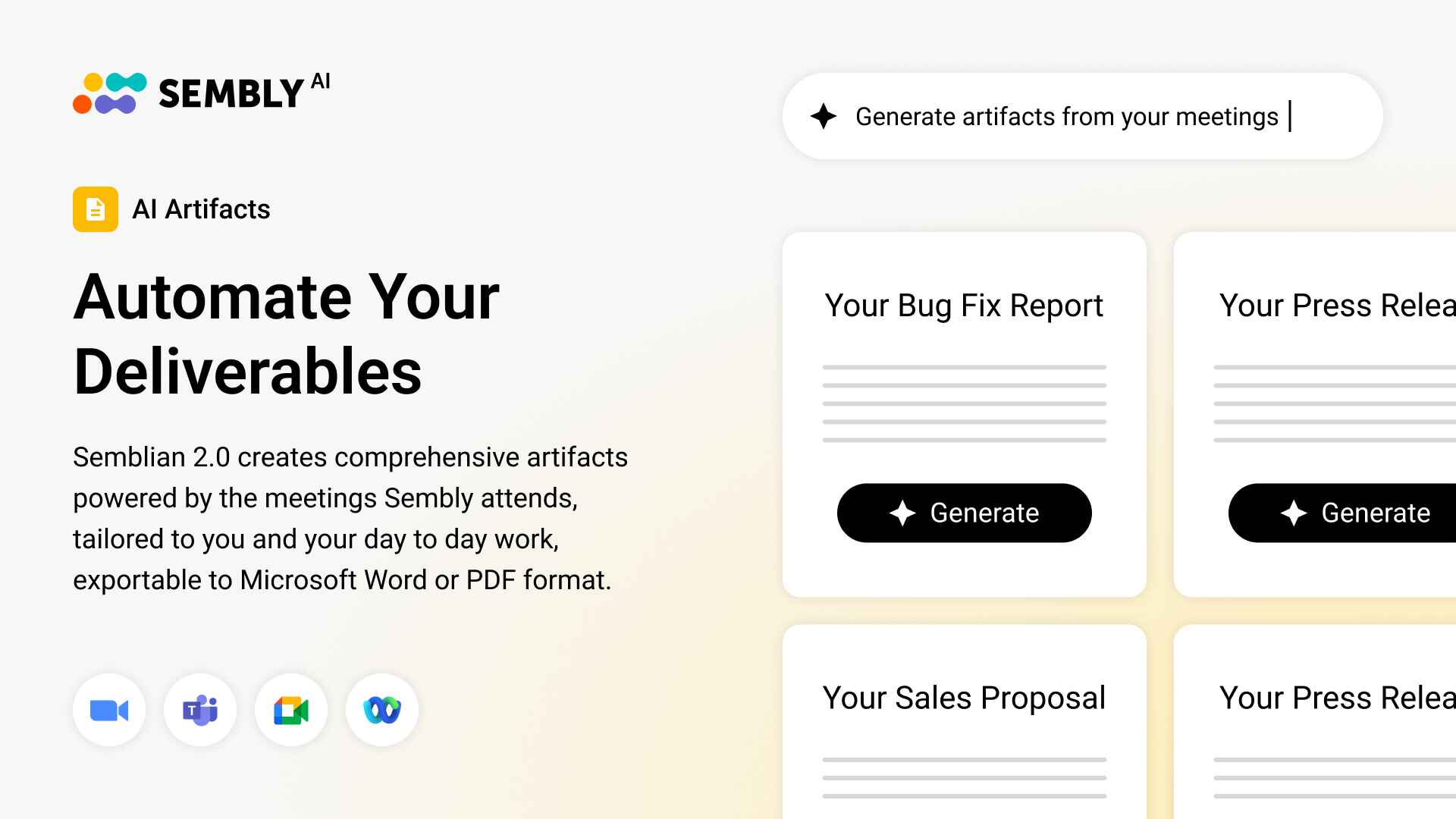
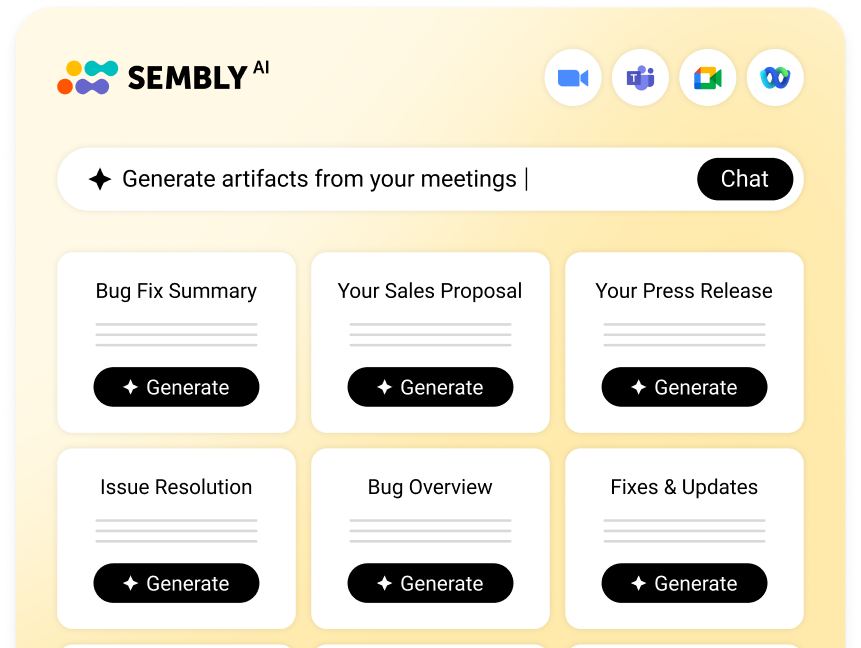
Sembly AI is a meeting intelligence software designed for consultants with busy calendars. It records and transcribes calls, creates notes and tasks, extracts insights, and provides a list of key items (risks, notable events, achievements, etc.). The app also generates documents, such as success plans, status updates, and client needs analysis, based on the discussions. The goal of Sembly is simple: help consultants keep work moving by making it easy to reuse, track, and share meeting details. And well, it sure keeps its promise!
Key Features
- Meeting transcription and summaries in 45+ languages
- Automatic tasks with descriptions, deadlines, owners, and assigners
- Conversation analysis across meetings
- Professional post-meeting documents
- Integrations with calendars, collaboration, documentation, and reporting tools
Use Cases
After a client call, Sembly generates a summary that highlights decisions, risks, and next steps, so consultants don’t have to scan lengthy transcripts. The tool also drafts project documentation based on the meeting content and can help create personalized follow-ups, saving even more work hours. Over time, Sembly helps teams maintain continuity by storing past discussions and commitments, which is especially useful during handovers.
Best For
Consultants who want meetings to be the foundation of delivery, reporting, and account management.
AlphaSense
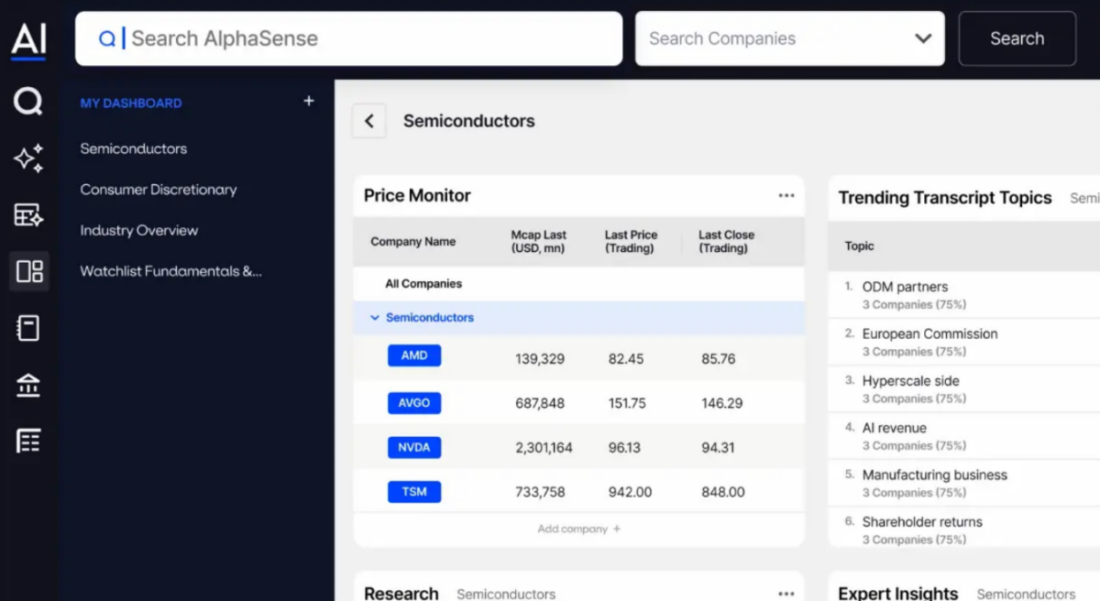
AlphaSense is a deep research and market intelligence platform that helps consultants analyze industries, companies, and trends. It collects and combines public filings, calls, analyst reports, news, and proprietary research into a single platform. The platform is a solid choice when research volumes are high, as it makes it easier to find relevant insights without manually analyzing numerous sources.
Key Features
- Search across filings, transcripts, news, and research
- AI keyword and sentiment filtering
- Company and consulting industry monitoring
- Collaboration and export tools
Use Cases
Consultants often use AlphaSense to prepare for workshops or executive discussions: the tool helps them review recent earnings calls and filings in one place. It also helps teams identify trends and risks to support market-entry and growth strategies.
Best For
Strategy and financial management consultants who work with large volumes of market data.
Crayon
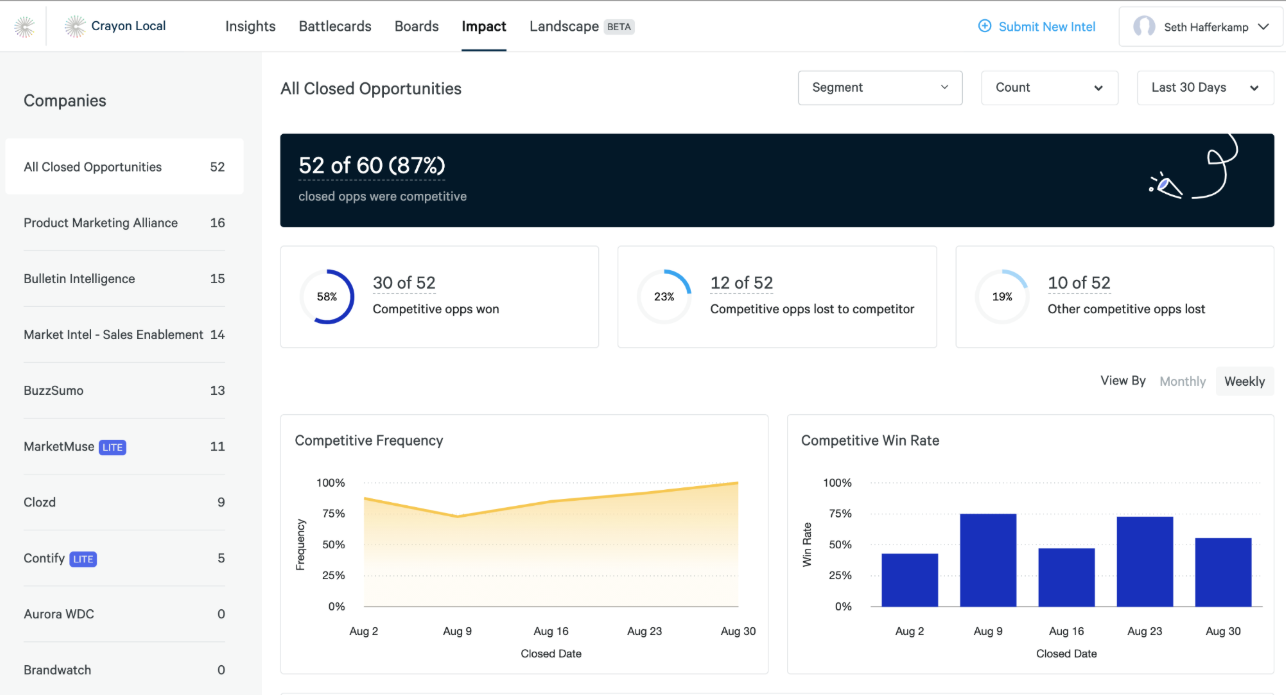
Crayon is another competitive intelligence platform that helps consultants monitor their competitors and market messaging. While AlphaSense focuses on deep market research, Crayon mostly tracks public digital signals and analyzes data from websites, reviews, news, and sales materials. The tool works best for cases when the competitive context needs to stay current across strategy, sales, and client advisory work.
Key Features
- Automated competitor tracking across different data types
- Battlecards and enablement content
- AI importance scoring and prioritization
- Crayon Answers AI assistant
- Automatic notifications and custom dashboards
Use Cases
Consultants use Crayon to track competitor pricing, messaging, or product changes. It’s also useful for alerting teams when a competitor shifts positioning or launches something new.
Best For
Strategy consultants, market entry analysis, and companies that conduct ongoing competitive monitoring for multiple clients.
Timely
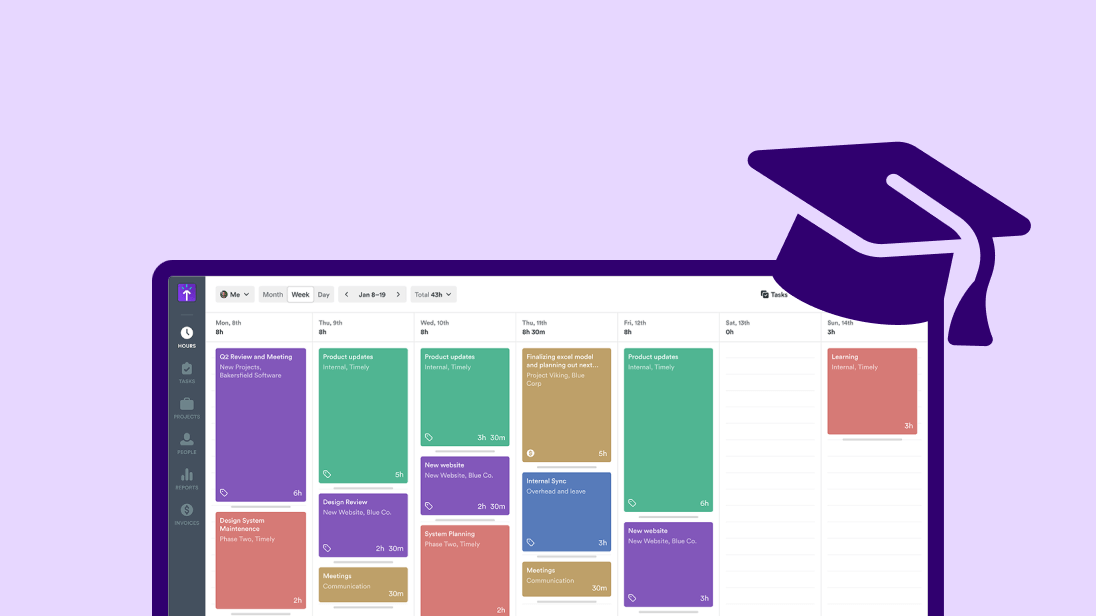
Timely is a time tracking tool that captures billable hours through passive monitoring. The tool tracks computer activity, including applications, documents, meetings, and visited websites, and uses AI to categorize work by client and project. Furthermore, it creates visual timelines that show what professionals worked on and suggests time entries based on learned patterns.
Key Features
- Background employee activity tracking
- Memory timeline reconstruction
- Project and client tagging
- Reports for client invoicing with detailed activity breakdowns
Use Cases
Consultants can accurately recreate billable time and show clients exactly how time was spent across meetings and deliverables. The tool also helps spot under-billed or over-serviced projects.
Best For
Consultants who bill by the hour and want accurate time tracking.
Motion
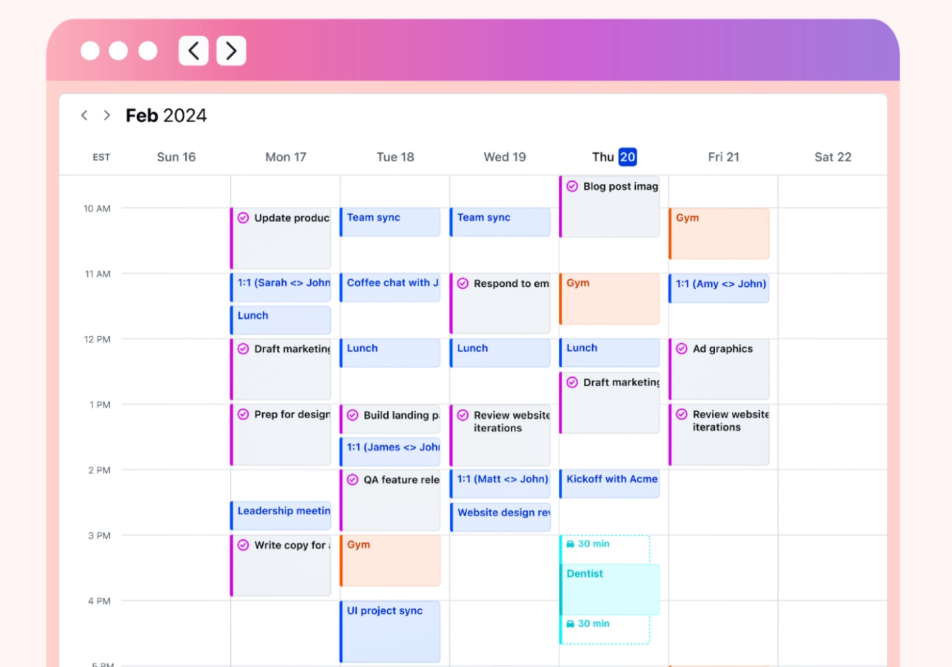
Think of Motion as a task and scheduling tool that decides how work fits into your day. Consultants can add tasks with deadlines, priorities, and time estimates, and Motion fits them into the calendar around existing meetings. When a meeting moves or new work comes in, Motion reshapes the plan and changes the priority of the tasks. Unlike tools that focus on time, Motion concentrates on execution: it determines what teams should work on, based on deadlines and available time.
Key Features
- Automatic task scheduling
- Calendar and task sync
- Deadline and priority management
- Team and personal planning views
Use Cases
Motion helps keep delivery plans realistic as priorities shift and ensures professionals gain a clearer picture of what can actually be completed (given existing commitments).
Best For
Consultants who manage multiple projects and struggle with manual planning and shifting priorities.
Qwilr
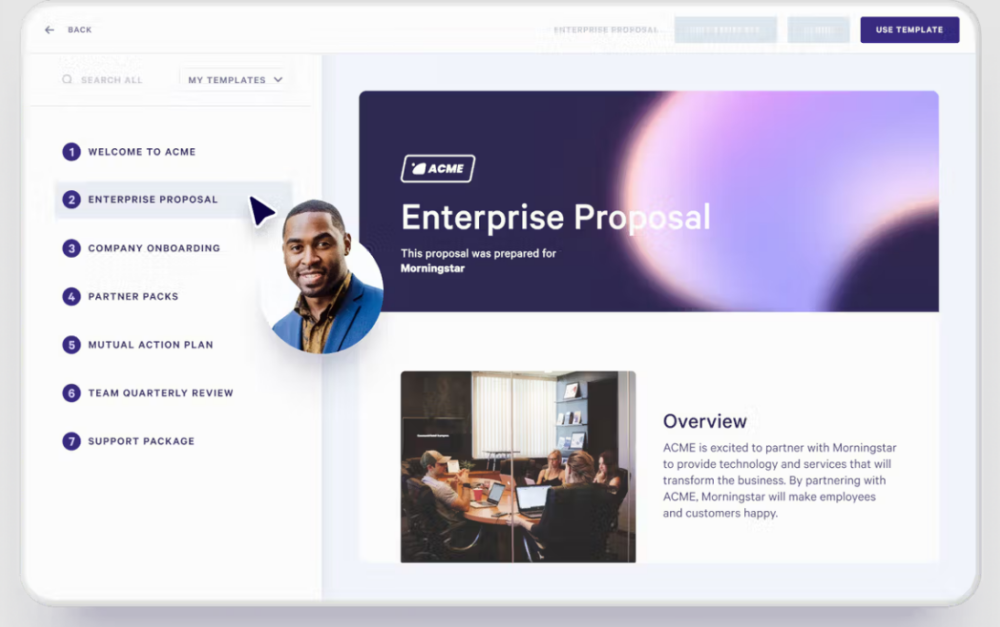
Qwilr is a proposal and document creation tool designed to replace static PDFs with interactive web-based pages. It lets you build project documentation with appealing visuals and embedded content. The platform also tracks how recipients engage with proposals, which can be especially handy. Overall, Qwilr is particularly useful for consultants who often update or edit their proposals without having to rebuild from scratch.
Key Features
- Interactive and responsive web-based proposals
- One-click acceptance and e-signatures
- Real-time engagement analytics
- Embedded media and rich content
Use Cases
Qwilr helps present pricing options interactively and works well when teams need help updating scope, timelines, or deliverables. Engagement data also helps guide follow-up conversations.
Best For
Consultants who compete on presentation quality, brand differentiation, and client experience.
PandaDoc
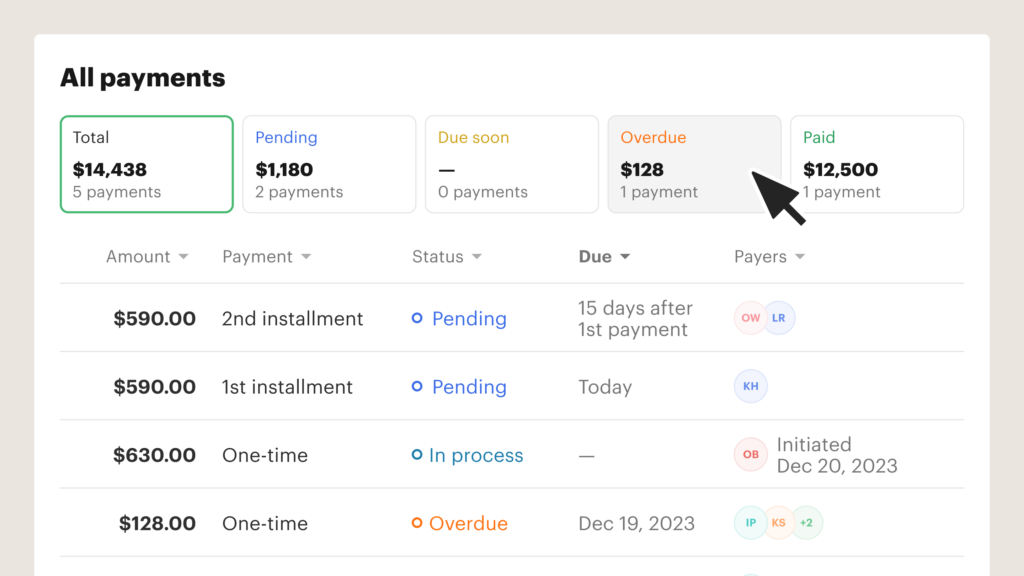
PandaDoc is a document automation tool that lets professionals create, send, approve, and sign client documents. It’s usually used for proposals, statements of work, contracts, and change orders, especially when documents need approvals, signatures, and version control. PandaDoc keeps everything centralized and trackable, which reduces delays and confusion within teams. What can I say? It’s well-known for a reason.
Key Features
- Proposal, contract, and SOW templates
- Built-in e-signatures and approval flows
- Document tracking (for example, views, signatures, status)
- Version control and audit trails
- Integrations with CRM, billing, and storage tools
Use Cases
Consultants often rely on PandaDoc when proposals and contracts need fast approvals and ownership. Tracking features also make it easy to see when clients review or sign documents.
Best For
Consulting teams that handle proposals frequently and need a reliable way to manage them.
Reclaim
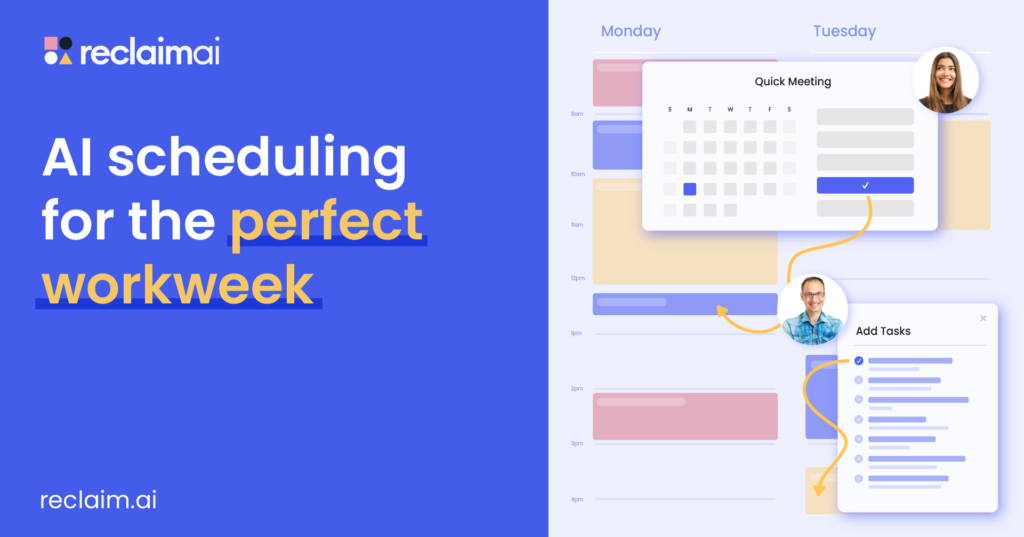
Reclaim is a calendar automation tool. Think of it as a go-to option if you need to protect time for real work when meetings keep multiplying. It connects to the calendar and automatically schedules tasks, focus blocks, and repetitive habits based on the rules and availability. For example, if a client call appears in the middle of the day, Reclaim reshuffles the plan. Just like that, you don’t have to do it manually. Unlike Motion, which decides what you should work on next, Reclaim protects when you get time to work.
Key Features
- Automatic focus-time and task blocks added to the calendar
- Priority rules for work, habits, and meetings
- Smart rescheduling when meetings or plans change
- Calendar limits to prevent overbooking
- Integration with task and calendar tools
Use Cases
Consultants use Reclaim to make sure preparation, planning, or follow-ups stay on the calendar. The tool also helps prevent meetings from slowly filling every available hour.
Best For
Consultants who struggle to protect time for it when meetings and requests keep interrupting their schedules.
Calendly
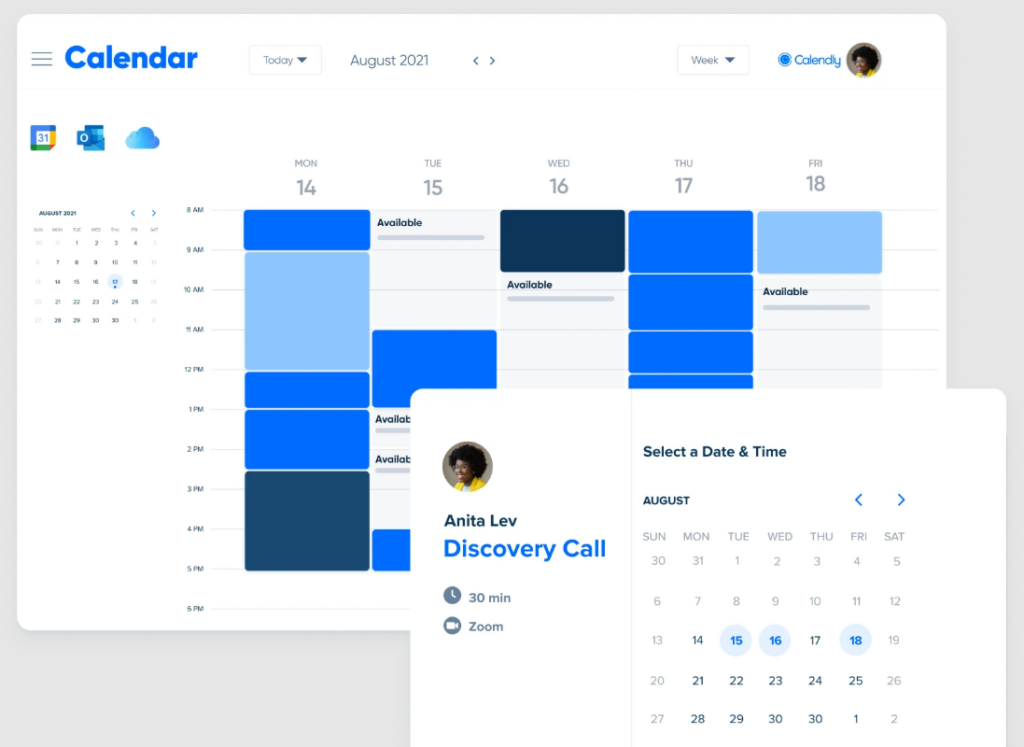
You have probably heard about this one, but it doesn’t make it less effective: Calendly. It is a scheduling tool that helps consultants book meetings with clients. The app lets you set availability rules, meeting lengths, buffers, and time zones, then share a link so customers can book a call directly. Calendly handles confirmations, reminders, and calendar updates automatically. I’d say it works best as a coordination layer, ensuring meetings are scheduled while consultants retain control over them.
Key Features
- Shareable scheduling links with configurable availability rules
- Different meeting types with durations and buffers
- Automatic time zone detection
- Calendar sync with confirmations and reminders
- Routing rules that help assign meetings to the right person
Use Cases
Calendly helps schedule stakeholder calls across time zones or route intro calls to different team members. As a result, consultants stay in control of their calendars.
Best For
Consultants who schedule frequent client meetings and want a simple way to coordinate availability.
When Are AI Tools Not the Right Fit for Consultants?
There’s no denying that AI tools can be powerful, but sometimes they’re not the right answer for this particular case. Furthermore, in some consulting scenarios, adding workflow automation has a rather negative impact. This may not be the fact you expected to hear, but it is the truth.
Here are 3 examples when AI tools, regardless of their quality, are not the right fit for consulting services:
- When the engagement is too short to justify the setup: If a project lasts only a few weeks, the time you spend on configurations or client onboarding can outweigh any productivity gains.
- When client data is restricted: Some clients restrict call recording, transcription, or external data storage. In these cases, AI tools that process conversations or documents lead to compliance risks (and that’s something to avoid).
- When there’s no process to automate yet: If meetings, delivery, or reporting lack structure, AI usually makes confusion even worse. Automation works best once workflows are already defined.
If any of these examples are the reality you are facing, I recommend taking AI adoption slowly and assessing whether it will help improve your work or complicate it.
How Can You Evaluate AI Tools Before Committing to Them?
Feature lists are great, but before adopting an AI tool, a good idea is to test it against real work in consulting firms. A practical evaluation usually follows a few steps:
- Start with a specific workflow: The first step is to identify exactly what the tool is meant to replace or reduce. For example: post-meeting documentation, scheduling, research, or proposal creation.
- Test it with live inputs: The next step is to run the tool on a client call, document, or task. Then compare: output quality, time saved, and the amount of manual editing it required.
- Assess adoption: Once you are done with testing, pay attention to how the tool behaves during a busy week. Software that requires constant setup or manual correction will unlikely help in the future.
- Review data handling and access: Consultants should know where data is stored, who can access it, and whether it aligns with client confidentiality expectations.
- Adopt gradually: Lastly, start with one or two tools, measure their impact, and expand only if they clearly improve your work.
I usually stick to this rule before committing to AI agents or assistants: If a tool does not save time or improve workwithin the first month, it is probably not worth keeping.
Wrapping Up
AI tools can either make consulting work easier or bring even more chaos into workflows. So, what’s the difference? Software that brings value is used with intention. Consultants tend to get better results when they start by identifying their problems: post-meeting follow-ups, research overload, or proposal creation. When a tool directly addresses that pain point, the impact becomes obvious very quickly.
In this article, I have gathered 9 must-have AI tools for consultants, along with their benefits, key points to consider, and common mistakes. I hope that from now on, you can choose the next addition to your tool stack with confidence. Good luck!
FAQ
Can AI tools replace consultants or junior team members?
No. AI tools can’t replace consulting judgment, relationships, or decision-making. In practice, teams use AI to free up time for thinking and client work.
How many AI tools does a consultant actually need?
One tool per weak spot is usually enough. For example, find one app for meetings, one tool for research, or one solution for scheduling.
Avoid using too many tools at once as it often creates friction. It’s better to start small and expand only when a tool clearly saves time or reduces risk.
Can consultants rely on AI outputs without review?
No, and they shouldn’t. AI outputs are best treated as drafts or starting points. Consultants still need to review summaries, insights, and documents for accuracy, tone, and context.
What’s the biggest mistake consultants make with AI tools?
The biggest mistake with AI tools is trying to automate everything at once. Tools work best when applied to repeatable tasks with boundaries. When consultants expect AI to fix unclear processes or make strategic decisions, results usually disappoint. Starting with one focused use case, on the other hand, often leads to better outcomes.
How long does it take to see value from an AI tool?
In most cases, consultants should see clear value within a few weeks. It might mean less time spent on notes, fewer scheduling emails, more accurate billing, or faster research.
- Multi-meeting chats
- AI Insights
- AI Artifacts

You might also like
