

Table of Contents
ToggleDid you know that only 19% of companies have integrated scenario planning and data visibility into their operations? (Gartner) For something so impactful, sales and operations planning often gets overlooked or reduced to a monthly meeting. As a result, businesses spend cycles realigning teams, revising forecasts, and reacting to last-minute shifts. If this sounds familiar, then you are in the right place.
In this article, we’ll walk you through the main steps to structure your S&OP, help you choose the right tools, align departments, and turn chaotic insights into a connected plan.
What Is Sales and Operations Planning?
Sales and operations planning, or S&OP, is a structured process that aligns a company’s demand, supply, and financial plans to create a practical operating strategy. The goal is to ensure every department, including sales, marketing, operations, and finance, works toward a shared target for the next few months. Unlike reactive planning that addresses issues after they occur, S&OP is proactive.
I suggest that we compare reactive and proactive planning to understand what makes this approach so effective.
|
Key Feature
|
Reactive Planning
|
Proactive Sales and Operations Planning
|
|---|---|---|
|
Trigger event
|
Respond to issues after they occur
|
Approaches issues proactively based on forecasted demand, capacity trends, and business goals
|
|
Frequency
|
Often irregular
|
Regular, structured planning cycles
|
|
Impact on inventory
|
Overstocking or shortages; higher carrying costs
|
Optimized inventory with planned safety workarounds
|
|
Customer service
|
Inconsistent delivery, rushed orders
|
Improved fulfillment rates, higher customer satisfaction
|
|
Financial alignment
|
Misalignment between operations and financial targets
|
Aligned with budget, revenue, and margin goals
|
|
Best For
|
Small teams or startups that want to get familiar with the process first
|
Middle-sized businesses and enterprise sales and operations planning across departments and regions
|
What Are the Components of Sales and Operations Planning?
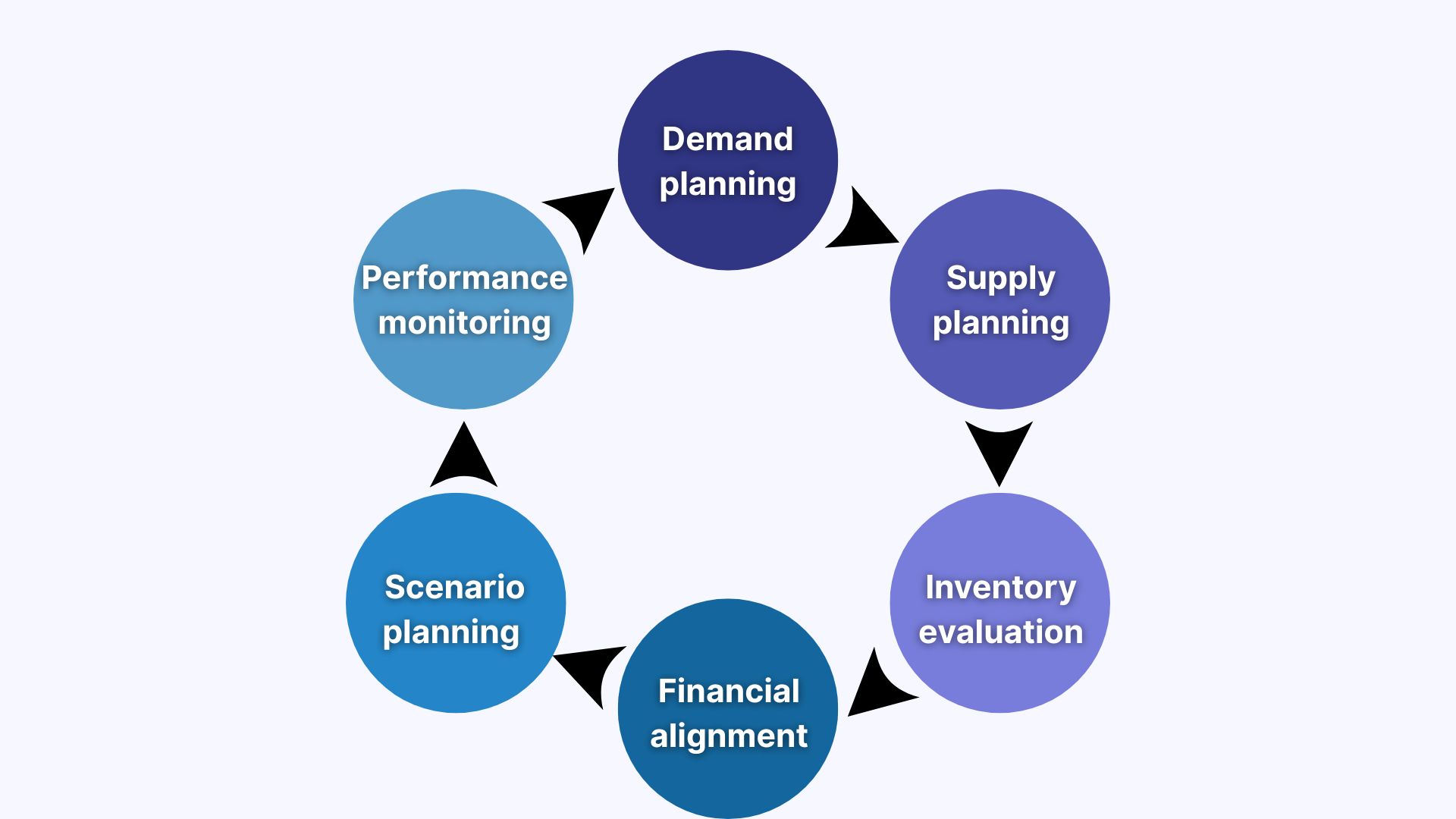
S&OP is a system of interconnected planning components that work together to help your business stay aligned with its plans and deliver on its promises. Now that you know how this approach differs from others, I suggest that we examine the 6 key components that make this type of planning so effective.
- Demand planning: Focuses on forecasting customer demand using historical sales data, market trends, seasonality, and input from support and marketing teams.
- Supply planning: Evaluates production capabilities, supplier lead times, material availability, and labor capacity.
- Inventory management: Defines safety stock levels, inventory targets, replenishment strategies, and effective stock management practices to maintain optimal inventory levels.
- Financial alignment: Aligns operational plans with revenue goals, margin expectations, and cost constraints.
- Scenario planning & risk management: Involves testing potential scenarios to prepare mitigation strategies.
- Performance monitoring: Tracks execution against the approved plan, reviews KPIs, and adjusts future cycles based on the recent findings.
What Is the Best Frequency for Sales and Operations Planning?
The best sales and operations planning frequency for most organizations is monthly. However, in general, this can range from bi-monthly to quarterly depending on demand volatility, supply chain complexity, and forecast accuracy requirements. Monthly S&OP cycles balance between responsiveness and planning overhead, allowing teams to adjust to market changes.
Here is how the timing varies based on the industry:
- Professional services: The best frequency is quarterly or bi-monthly. During peak seasons, companies may switch to monthly cycles.
- Retail: The ideal frequency is monthly. However, some retailers often add mid-cycle demand reviews during high-stakes periods.
- SaaS: The preferred frequency is quarterly. However, S&OP reviews may be hosted more often during major market expansions.
- IT services: A bi-monthly or quarterly cycle frequency usually works best.
What Is the Purpose of Sales and Operations Planning?
The goal of sales and operations planning is to align initial plans with actual capability. It combines sales forecasts, supply capabilities, and business objectives into a single plan. As a result, organizations often avoid the two most expensive outcomes in operations: overpromising and underdelivering.
Example: A SaaS company plans to launch new products in Q2 and sales predict an increase in enterprise demand. With a structured S&OP process, teams coordinate rollout volume, scale infrastructure, and employee support, ensuring a smooth launch.
What Are the Key Steps in Sales and Operations Planning?
There are 6 sales and operations planning steps: data gathering, building a demand plan, setting up a supply plan, matching demand with supply, aligning financial goals, and monitoring KPIs. When followed in sequence, these steps help your organization move from assumptions to effective planning. That’s what you are about to learn.
Below, I have prepared a brief overview of the sales and operations planning process flow. We will walk through each step and review some tips that can optimize and speed up the preparation.
1. Gather and Clean Data Across Departments
The first step is to collect all relevant inputs: historical sales, open pipeline, inventory, lead times, marketing calendars, schedules, and financial targets. Once you have the data, ensure it’s relevant and consistent. Why? Poor data quality often means that every subsequent step will be based on assumptions rather than facts.
Tip: Assign data owners with deadlines before the beginning of each S&OP cycle. Consider using a centralized platform to avoid version conflicts and last-minute updates.
2. Build the Demand Plan
The next step of sales and operations planning is to forecast demand by product family or region. Use quantitative data, such as past sales, trends, seasonality, and qualitative insights, including sales team input, marketing campaigns, and product launches. Try not to overfit to history and stick to planning to avoid retelling or repeating previous experiences.
Example: A B2B SaaS team adjusts its demand forecast for Q1 by factoring partner campaigns, webinar registrations, and expected expansions from existing accounts. They can also collaborate with customer success to estimate renewals and with marketing to assess conversion rates from paid events.
3. Build the Supply Plan
Once the demand is settled, assess whether your team can meet the predicted demand. Start by reviewing the production plan and capacity, inventory, lead times, and logistics. Consider labor or infrastructure limits, especially in SaaS or cloud businesses. The key is to model your worst-case capacity. Why? Delays often occur when some insignificant supplier or team becomes overloaded, and professionals end up being unprepared.
4. Match Demand and Supply Plans
Next, you need to ensure demand matches your supply plan. If it exceeds supply, consider shifting timelines or optimizing campaign goals. If supply outpaces demand, assess whether to cut volume, reduce inventory, or reallocate resources. This S&OP step is about compromise and making trade-offs visible to everyone.
Example: A product development team postponed a marketing push by two weeks to provide support teams time to onboard additional agents and meet SLA commitments.
5. Align with Financial Goals
During this S&OP stage, assess whether your plan fits within your revenue targets, margin expectations, and budget. Alignment with finances helps validate assumptions, flag conflicts, and confirm whether proposed actions align with company-wide objectives. Avoid finalizing supply or demand plans before validating the financial impact. Use quick scenario modeling to test margin or cash flow outcomes instead.
6. Monitor Results and Adjust Future Strategy
Lastly, track key KPIs, such as forecast accuracy, order fulfillment, and backlog. Compare actual results with your initial plan. If there are any major changes in demand or supply, consider reopening the planning cycle and adjusting speed. The key to an effective sales and operations planning process is to review and optimize it on a regular basis.
Tip: You can use advanced AI note-taking tools like Sembly to analyze conversations, track decisions from planning meetings, flag risks, and optimize your feedback loops
What Are the Sales and Operations Planning Best Practices?
The quick answer is that sales and operations planning works best when teams use reliable data, consider potential threats, track decisions, and link demand to customer milestones. As a result, companies can avoid delays or resource waste during execution. However, these are not the only recommendations as of today.
Traditionally, I have prepared 4 practical strategies to improve every stage of the S&OP process.
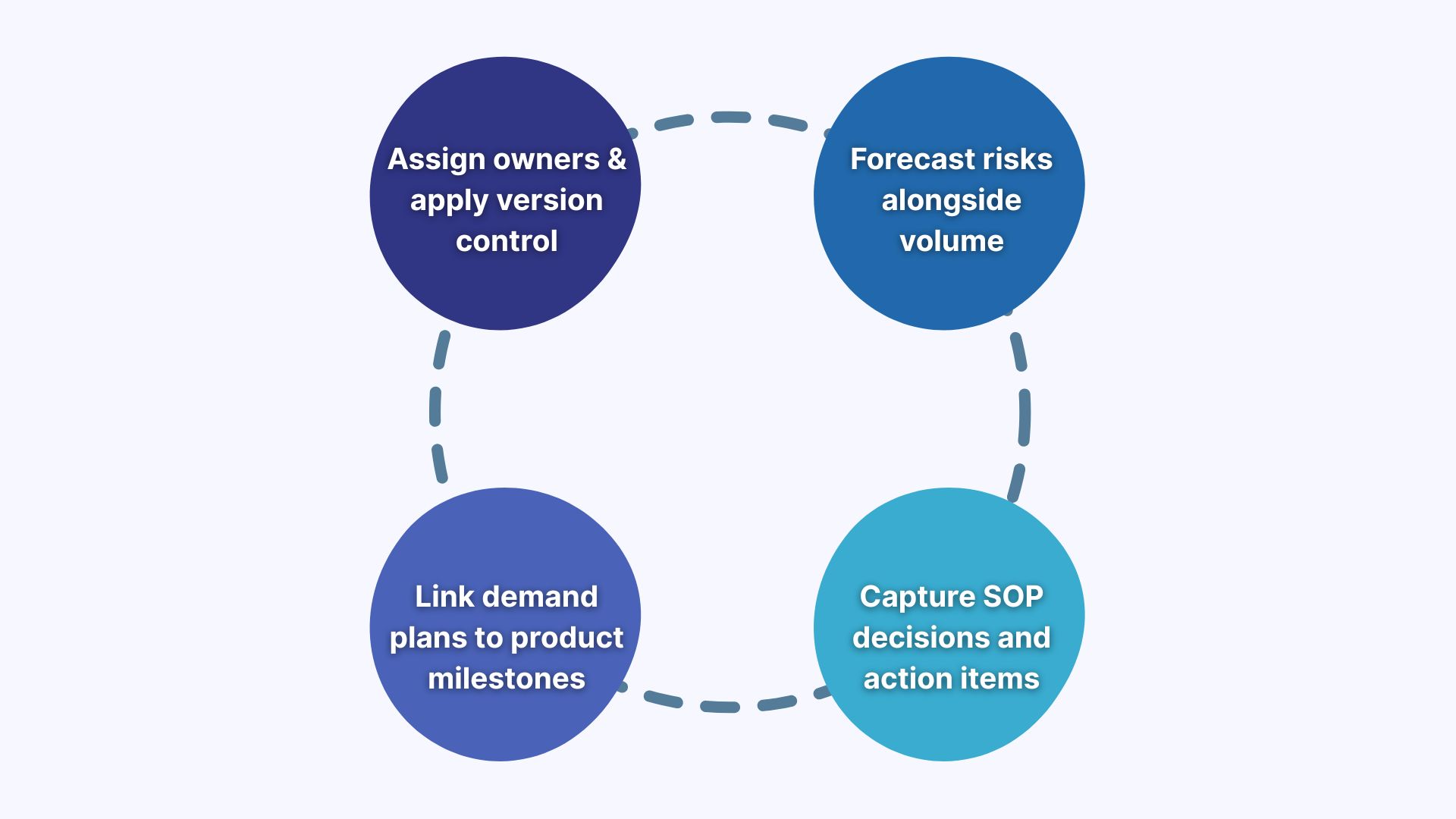
Assign Owners and Apply Version Control
Treat your forecasts and inventory strategies like source code: assign owners, update cadences, and version history. This is especially useful when multiple stakeholders contribute across enterprise resource planning systems. Why? It often prevents errors caused by overwritten data or assumptions in integrated business planning.
Tip: Build a simple audit log for key spreadsheet inputs or connect them to a source system, such as your ERP or supply chain management software.
Forecast Risks Alongside Volume
Add risk scoring and confidence ratings to impactful customer segments, promotional spikes, and unstable SKUs. Use scenario simulations to test the impact of supplier delays, inventory shortages, or capacity bottlenecks on your delivery and margin targets. The key here is to predict what can go wrong in addition to what you plan to sell.
Example: A global B2B tech company added a risk matrix to its demand plan, scoring customer segments by likelihood and impact. When risky deals showed signs of delay, the team managed to adjust supply and support plans in time.
Link Demand Plans to Product and Customer Milestones
Have you settled things with risks? Now, align your demand plan with practical delivery timelines. Connect your forecasts with product launch dates, onboarding phases, or customer lifecycle events. It can help professionals coordinate resources and align cross-functional teams. Avoid focusing on volume targets and concentrate on real timelines.
Tip: Use your capacity plan to flag internal resource gaps before a new feature or product meets the target audience.
Capture Sales and Operations Planning Decisions
Consider tracking what led to a decision, who approved it, and what trade-offs were accepted during the executive S&OP meeting. When you do, this metadata can help improve root cause analysis, strengthen accountability, and ensure sales and operations execution are aligned.
Tip: Advanced transcription software, such as Sembly, can automate the process and document key decision points. You’ll receive meeting notes, action items, key items, including risks, notable events, and issues, as well as personalized insights.
What Are the Best Tools for Sales and Operations Planning?
There is no universal tool that fits all business sizes and types. Typically, an app focuses on a particular niche, and that’s where professionals face the first challenge: How do you find the best fit for your company? Most importantly, how do you ensure it still aligns with your goals as the business continues to grow?
Below, I have prepared 5 sales and operations planning tools for various company types: agencies, enterprises, growing companies, and small startups.
Sembly
Sembly is an advanced AI assistant designed to optimize sales and operations planning processes by analysing meetings and automating documents. It automatically joins meetings in Zoom, Webex, Teams, or Google Meet to capture critical S&OP discussions, extract action items, and identify risks. With multilingual support for 45+ languages and intelligent extraction of decisions, tasks, Sembly helps S&OP teams maintain comprehensive documentation and searchable archives of planning conversations.
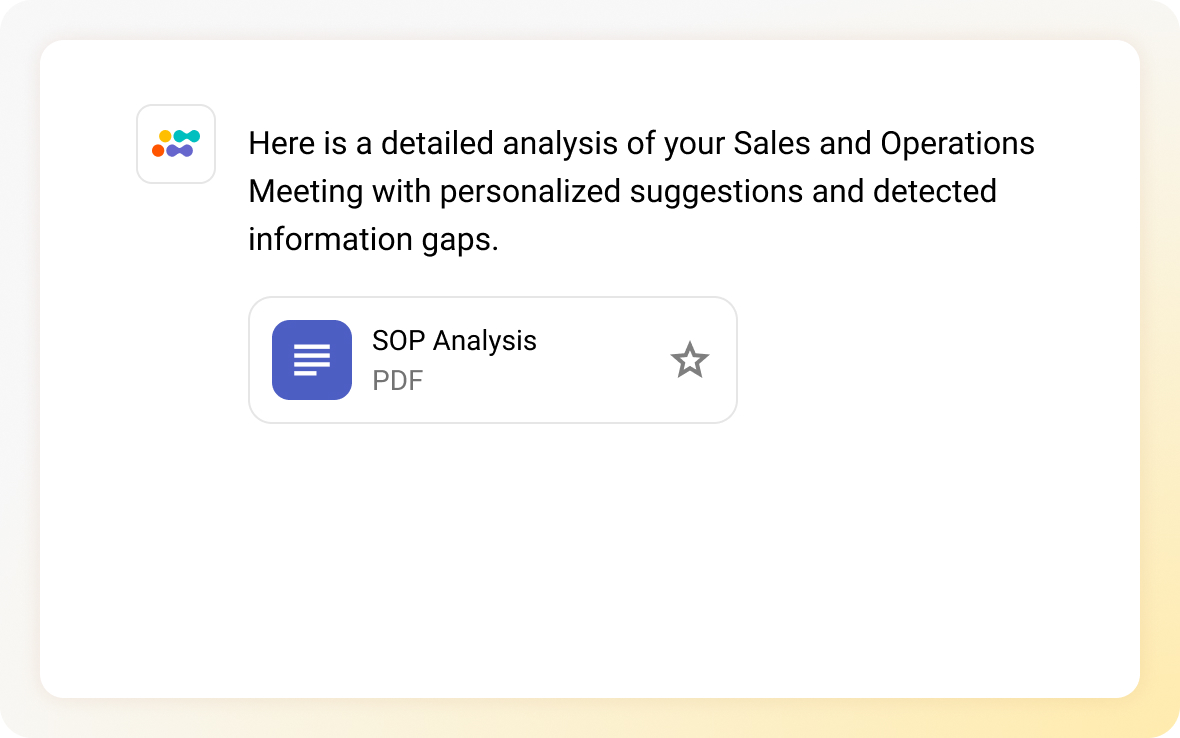
Still not convinced? Sembly also generates reports and comprehensive post-meeting documentation based on the available content and detects information gaps. Here is how it works in practice;
- Visit My AI Chats tab in the Semblian section.
- Click New AI Chat in the upper-right corner.
- Attach a meeting or choose meeting timelines.
- Ask Sembly, “Analyze attached conversations. Suggest improvements to the sales and operations planning process based on the discussions. Extract risks and issues with responsible employees.”
- Enjoy the result!
Key Features
- Multilingual meeting transcription and summaries in 45+ languages
- Automatic extraction of tasks and key items (risks, notable events, or achievements)
- Searchable archive of past S&OP discussions
- Multi-meeting chat that answers questions about any meeting in the library
- AI document and report generation
- Workspace analytics tracking the number of meetings, attendees, and hours spent on calls
- Enterprise-grade security levels and compliance with GDPR, HIPAA, and more
Best For
- Consulting teams that need more visibility into client decisions
- SaaS companies with recurring cross-functional meetings
- Teams that want to replace manual meeting recaps with structured insights
Productive
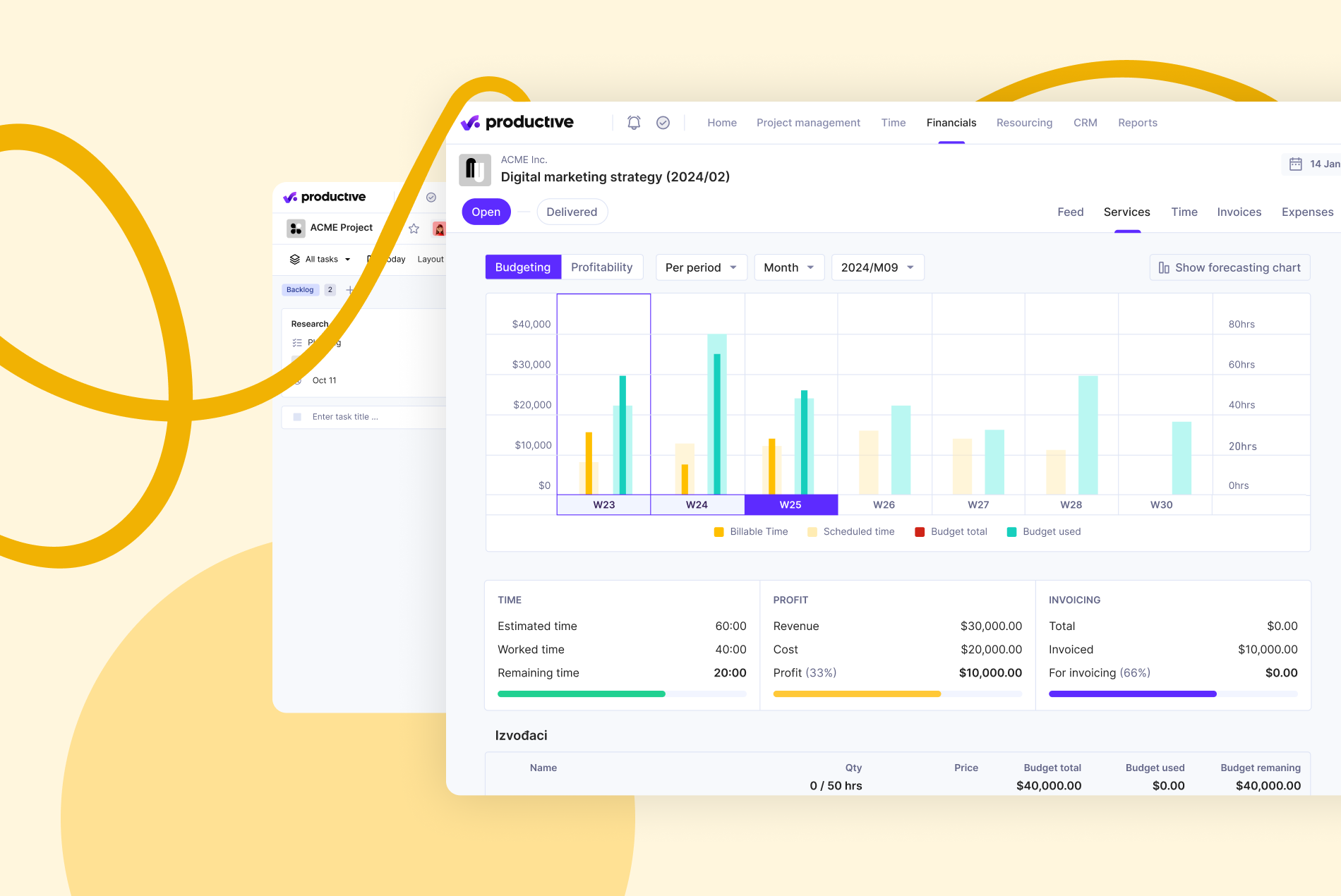
Productive is a professional services automation (PSA) platform that serves as an integrated sales and operations planning solution for consulting teams. This tool system combines resource planning, capacity management, time tracking, and budget monitoring to align sales forecasts with operational delivery capabilities. Overall, Productive enables S&OP teams to balance client demand against team capacity, track project profitability, and make data-driven decisions about resource allocation.
Key Features
- End-to-end professional services automation
- Live resource availability and utilization tracking
- Budgeting and profitability monitoring per client/project
- Sales pipeline integration with delivery capacity
- Custom reports on time, margin, and team load
Best For
- Small to mid-sized consulting firms or creative agencies
- Teams that balance delivery timelines, client demand, and team capacity
- Companies that want to move from spreadsheets to integrated planning tools
Scoro
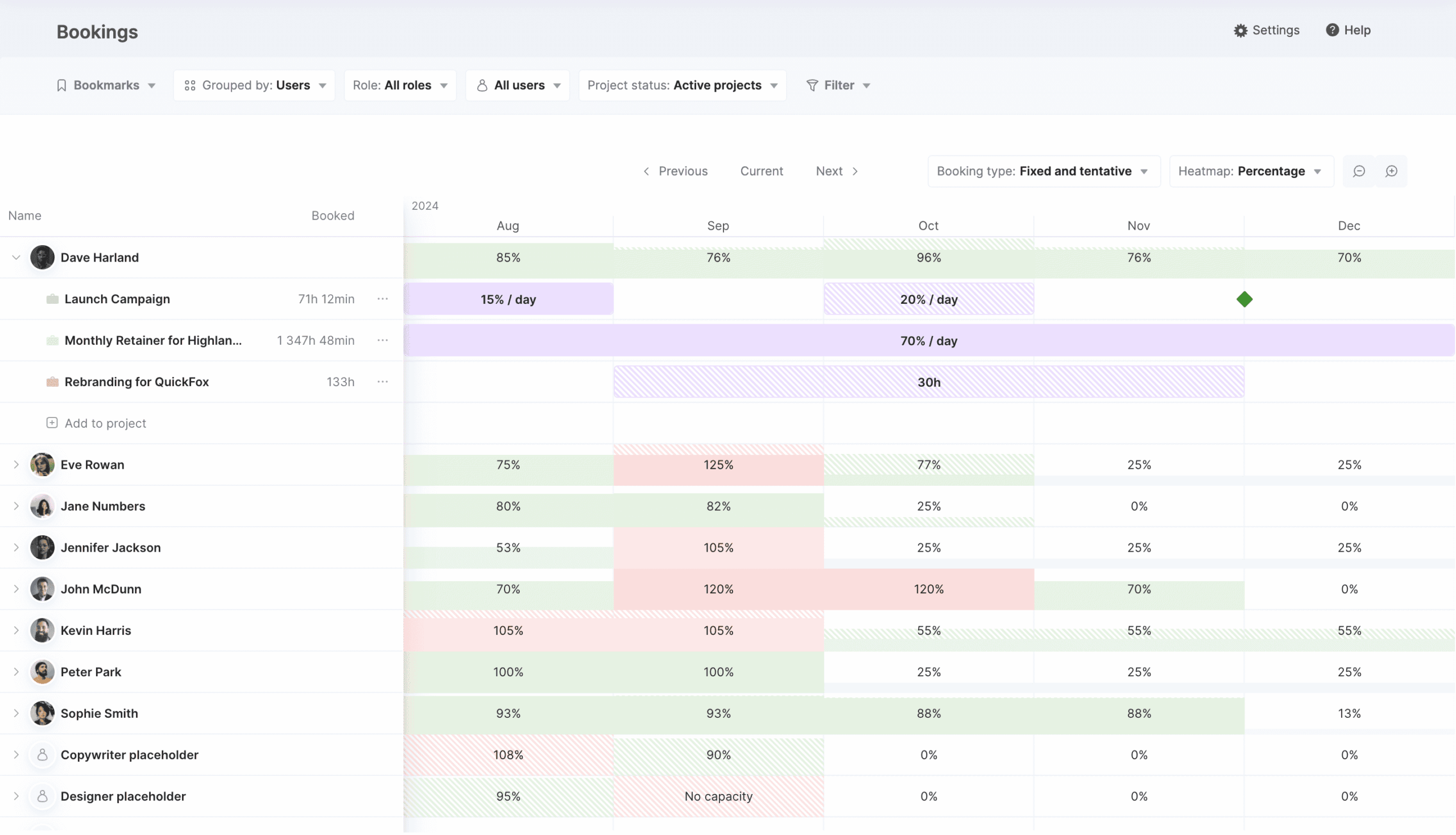
Scoro is an all-in-one business management platform that serves as a service-centric sales & operations planning system for consulting environments. It integrates project planning, resource scheduling, financial forecasting, and delivery tracking to connect revenue targets with operational capacity. Overall, Scoro’s S&OP capabilities include utilization dashboards, budget-to-actual tracking, and CRM integration, helping operations teams align sales pipelines with resource availability and monitor profitability across projects.
Key Features
- Centralized time, resource, and project management
- Budget tracking and invoice forecasting
- Utilization dashboards and profitability insights
- CRM, sales pipeline, and delivery planning
- Custom reports and client visibility into the results of multiple clients
Best For
- Agencies and consulting companies with project-based billing
- Operations leads who manage utilization and delivery timelines
- Mid-sized service companies that require S&OP-style resource planning
Kinaxis
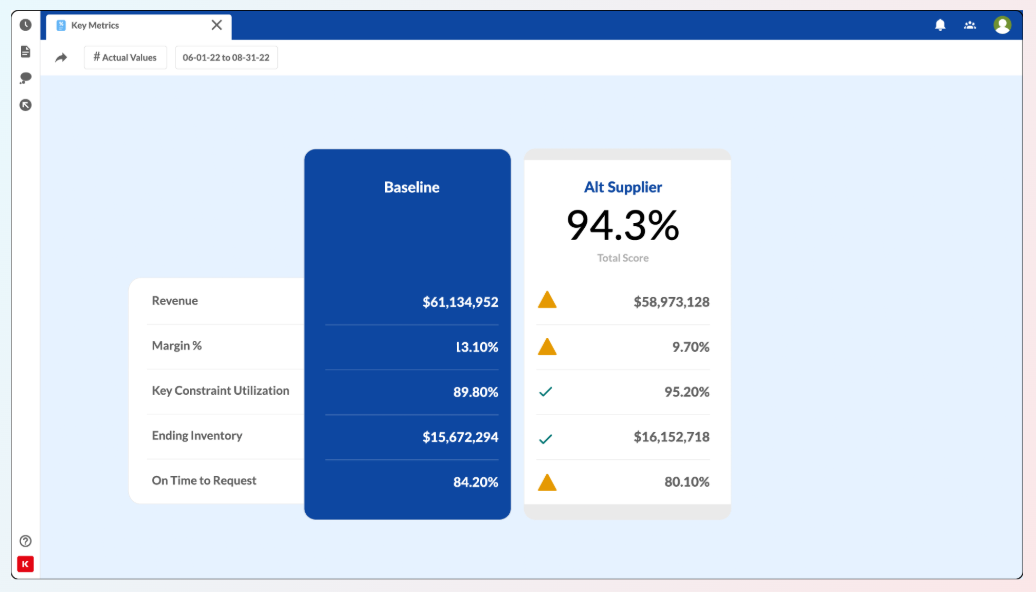
Kinaxis is an enterprise-grade supply chain planning platform that provides advanced sales and operations planning capabilities through real-time data integration and scenario modeling. It unifies demand forecasting, supply planning, inventory optimization, and capacity management into a single collaborative environment for S&OP execution. With built-in risk alerts, predictive analytics, and what-if scenario simulations, Kinaxis enables supply chain teams to assess the impact of changes across procurement, logistics, and production.
Key Features
- Real-time supply and demand updates
- Scenario simulations for capacity, inventory, and lead times
- Integrated workflows across procurement, logistics, and planning
- Risk matrix and alert-based decision support
- Predictive insights to improve supply chain performance
Best For
- Enterprises that manage complex supply chain workstreams
- Teams that want real-time scenario simulations
- Companies that require sales and operations planning software with built-in risk visibility and capacity planning
Anaplan
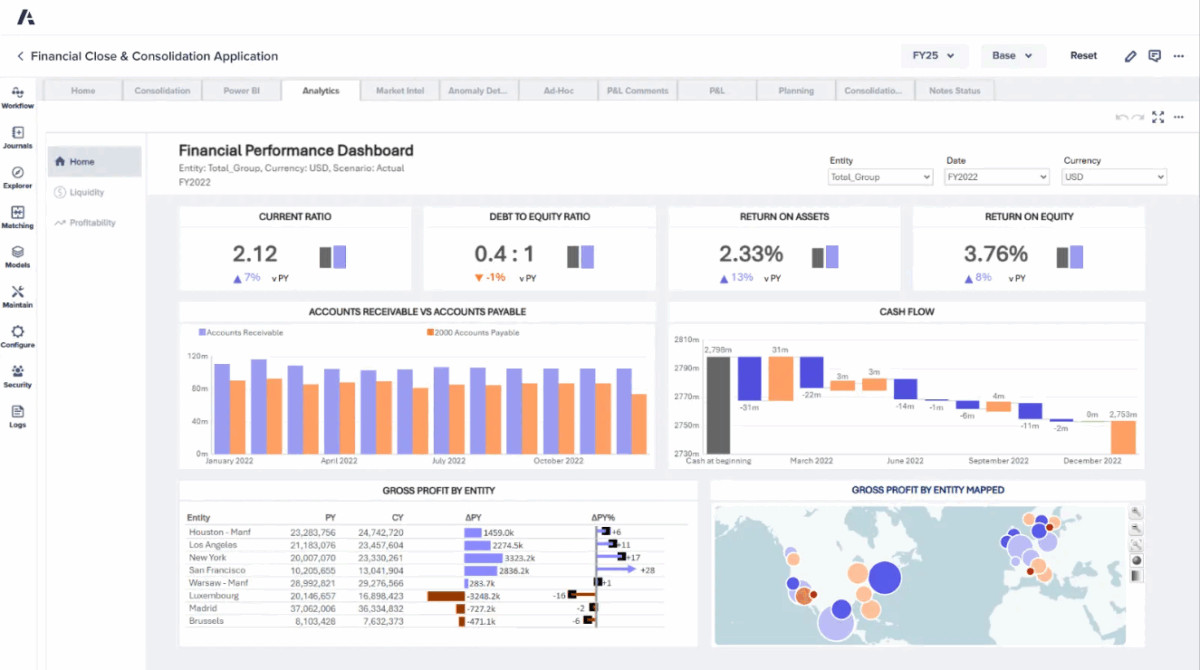
Anaplan is a cloud-based platform for integrated business planning that connects sales, supply chain, finance, and workforce planning. Treat it as a replacement for spreadsheets with dynamic models that help simulate outcomes and respond to changes. For enterprise sales and operations, Anaplan unifies financial targets, demand & capacity forecasts with strategic initiatives into one environment.
Key Features
- Unified planning across sales, operations, finance, and HR
- Scenario modeling with real-time plan adjustments
- Role-based access and version control
- Cloud-based collaboration and plan governance
- Advanced forecasting and top-down/bottom-up alignment
Best For
- Enterprises that run complex, cross-functional planning cycles
- Teams that want to move from static spreadsheets to connected planning
- Organizations implementing strategic S&OP or IBP frameworks
How to Integrate Sales and Operations Planning
Now that you are familiar with all the nuances of the SOP process, you may start wondering: What are the best ways to integrate sales and operations planning? Well, this section is exactly what you need.
Below, you will find 5 simple yet effective steps that will help you integrate SOP into your company workflows.
- Establish executive sponsorship and decision rights: Identify the owner of the S&OP process, its facilitator, and the person who is responsible for the final decisions when trade-offs arise.
- Map and align existing planning workflows: Document current demand, supply, and finance planning processes. Identify overlaps, gaps, and disconnects to realign them.
- Centralize data: Consider using an S&OP platform or cloud-based software that connects ERP, CRM, and supply chain systems to support real-time collaboration.
- Standardize KPIs and visibility metrics: Create a unified dashboard that tracks shared goals and use scenario simulations to improve decision-making.
- Pilot your S&OP process: Test your sales and operations process flow in one unit before scaling. Document what works, resolve blockers, and refine routines where needed.
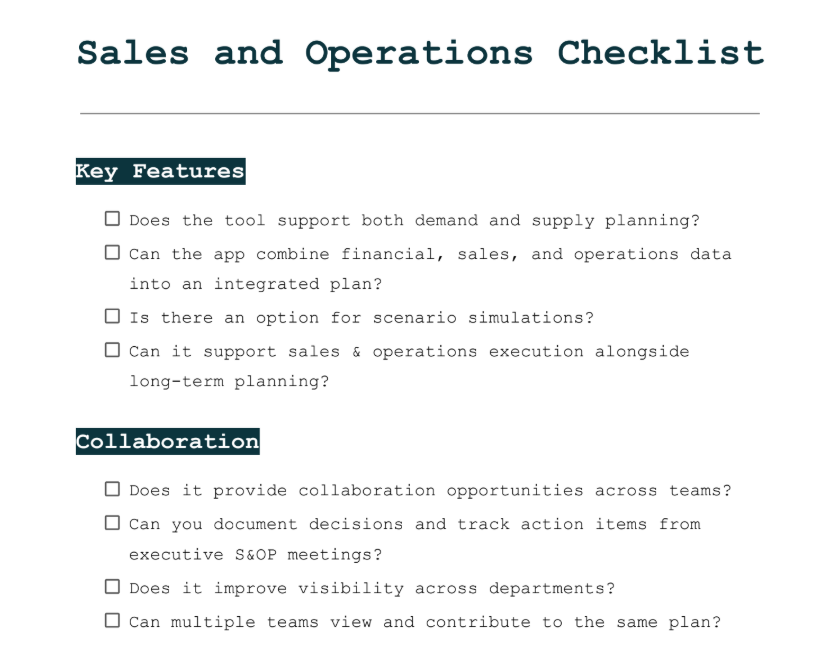
Sales and Operations Planning Checklist
This checklist contains all the steps we have previously discussed, including questions that will help you navigate the topic with confidence.
Wrapping Up
Every professional team starts with a plan. They choose targets to hit, products to launch, and customers to serve. However, what happens between intent and execution? Sales and operations planning is the key to moving from the former to the latter. You can think of it as the moment when strategy becomes shared responsibility. When finance, operations, and commercial teams finally sit at the same table and speak the same language.
In this article, we have examined the definition of sales and operations planning and its benefits, studied the creation steps, as well as explored the best tools that optimize the process. I hope from now on you will navigate the topic with confidence. Good luck!
FAQ
What is sales and operations planning in business processes?
Sales and operations planning, or S&OP is a decision-making framework that connects sales forecasts with supply chain, finance, and operational execution. It helps managers to ensure that all departments align around shared goals, such as demand, inventory, capacity, and revenue.
What is the purpose of sales and operations planning?
The main purpose of sales and operations planning is to balance demand and supply across departments.
This way, business can avoid issues with product availability, forecast revenue more accurately, and align internal workstreams with their market needs.
What is the importance of sales and operations planning?
Here are the main benefits of sales and operations planning:
- Keeps sales, finance, operations, and supply chain aligned around shared goals.
- Helps professionals predict market needs using real-time data, reducing overstock or shortages.
- Gives leadership enough visibility to adjust plans before issues escalate.
- Ensures people, inventory, and budgets are allocated based on real business needs.
- Assesses whether delivery timelines are realistic and match the planning production.
How can you integrate sales and operations planning?
Here are 5 key steps to integrate sales and operations planning in your business:
- Connect your data sources: Combine sales forecasts, inventory, capacity, and financials into one system.
- Choose the right platform: Use tools like Sembly, Scoro, or Anaplan to automate inputs and improve visibility.
- Set up a monthly sequence: Set recurring S&OP meetings with stakeholders to align, review, and adjust.
- Create a scenario plan structure: Map best-case, worst-case, and expected outcomes.
- Assign ownership: Provide each department specific KPIs and responsibilities within the S&OP process.
What is an example of sales and operations planning in consulting?
A consulting firm can use S&OP to match upcoming client projects with internal capacity.
They forecast demand based on proposal pipelines and align consultant availability. As a result, they can avoid overbooking.
How can you improve sales and operations planning?
Here are 6 recommendations that can help improve your sales and operations process:
- Identify where communication is ineffective, forecasts fall short, or decisions get delayed.
- Use “what-if” modeling to prepare for multiple demand and supply outcomes.
- Reduce manual entry by integrating systems, such as ERP, CRM, inventory, finance, for relevant insights.
- Define shared KPIs to ensure sales, finance, and operations can measure their performance.
- Equip managers with the skills to interpret data, lead planning sessions, and resolve conflicts.
- Invest in the right tools. Platforms like Kinaxis, Scoro, or Sembly help improve visibility, collaboration, and scenario tracking.
- Multi-meeting chats
- AI Insights
- AI Artifacts

You might also like
