
Table of Contents
ToggleHow does saving more than 10,000 hours in six months sound (Sembly AI)? Now that I have your attention, let me introduce today’s topic and the answer to this question: AI note-takers. Surely, time is one of the many benefits that people who switched to AI notice. However, what’s often left out of the conversation are tools that support in-person meetings.
You can see mentions of software designed specifically for remote work everywhere, but what about the old-fashioned office? Well, whether we like it or not, it still exists, and employees deserve a good stack they can rely on.
In this article, I’ll show you how AI note-taking works in offline environments, how it compares with traditional note-taking, and which AI tools can be trusted for face-to-face meetings. We’ll also look at practical concerns as these tools become common in conference rooms. Shall we get started then?
What Is the Difference Between AI Note-Taking and Traditional Notes?
Besides the obvious fact that one uses AI and the other doesn’t, the difference shows up after the meeting.
Think of it this way: manual notes help you get through the conversation, while AI note-taking helps you return to it. When people write notes by hand during offline discussions, they don’t have time to think about what to capture and what to ignore. AI note-takers, on the other hand, record the conversation and make sense of it afterward.
In the first case, once the meeting is over, the context relies on notes made under time pressure. Yes, they can be good, but every time you have to reread (and decipher) them. Artificial intelligence does a better job and usually helps people search through meetings and get back to any conversation moment whenever you want.
In case you are a visual learner like I am, I have also prepared a comparison table:
|
Aspect
|
Traditional Note-Taking
|
AI Note-Taking
|
|---|---|---|
|
Flow of the conversation
|
Conversation often slows to match note-taking
|
Conversation keeps its natural rhythm
|
|
Objectivity of notes
|
A human note-taker may be biased
|
|
|
Decision memory
|
Focus on the outcomes
|
A full trail of how decisions were made
|
|
Visibility of all participants
|
Some attendees may be underrepresented
|
Every participant is captured
|
|
Searchability
|
Limited to what was written
|
Full-text search across transcripts and recordings
|
|
Period of use
|
Short-term
|
Long-term
|
What Are the Benefits of Using AI Note-Takers for In-Person Meetings?
In my opinion, the biggest benefit of an AI note taker for in-person meetings is the change of responsibility. Once no one is responsible for writing everything down, conversations feel natural. There is no need to stop so that a colleague can catch up and note your words. People listen more closely, interrupt less, and engage more. I’ve seen this work in workshops and brainstorming sessions where ideas move fast, and manual note-taking just seems to have destroyed the creative flow.
Again, this is just the tip of the iceberg, but I have prepared a brief overview of the rest below:
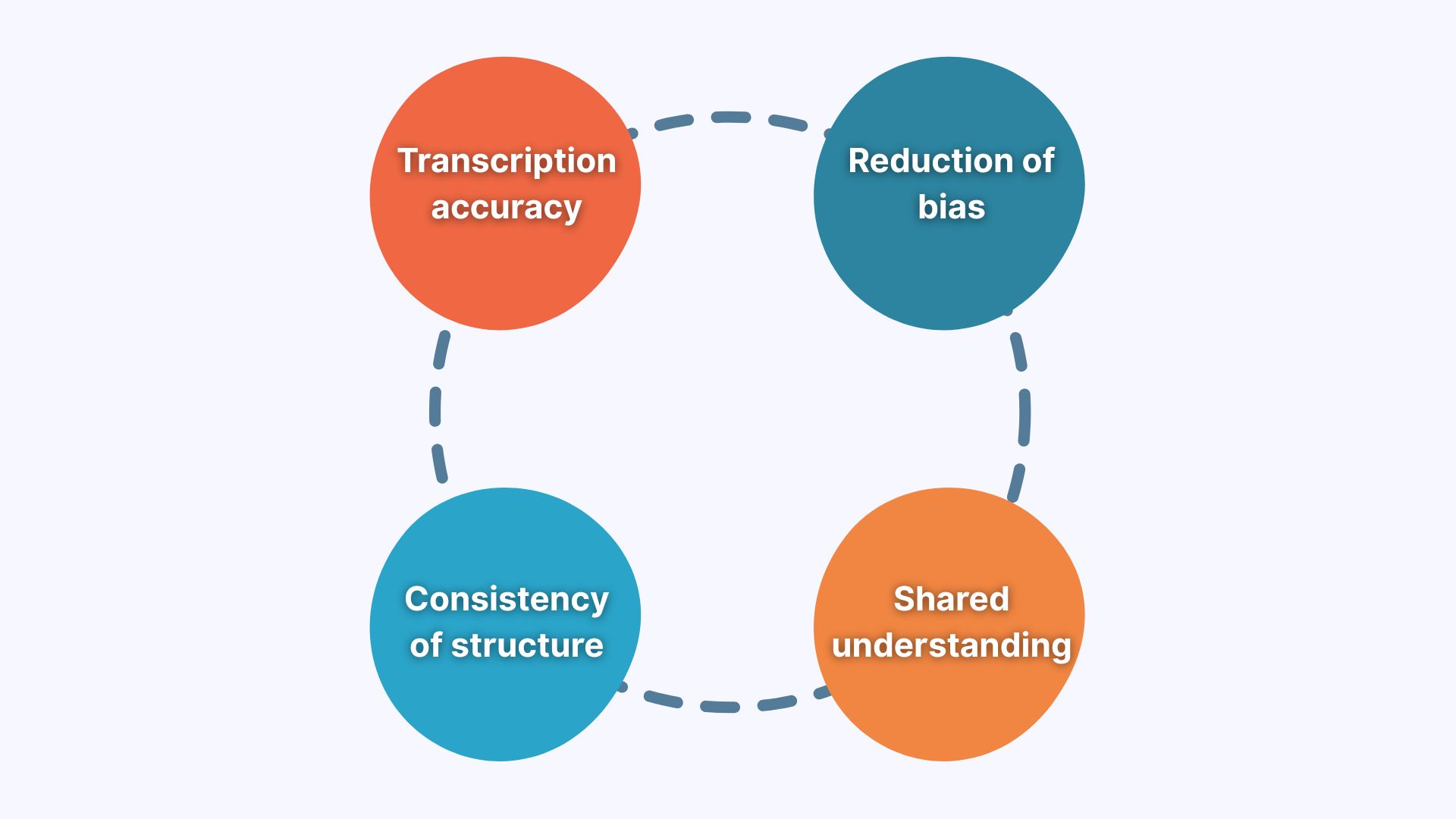
- Accuracy: With AI note-taking apps, I can go back to a transcript and find the exact quote or a moment I need. Manual notes might not even have this exact moment.
- Consistency: When I relied on manual notes, every meeting summary looked different. AI meeting notes usually follow a chosen structure and maintain consistency.
- Shared understanding: I am convinced that the only person who can understand the manual notes is the person who wrote them. With AI notes, everyone can review key points from the same in-person conversation.
- Reduction of bias: My notes reflect what I personally focused on, which may not work for my colleagues. AI transcription software, on the other hand, gives access to the full conversation, so no one is limited to someone’s perspective.
Another small moment convinced me these tools are worth it: after a face-to-face session, no one has to ask for notes, and no one has to send emails to 10 recipients to share them. Simplicity is beauty, right?
What Are the Trusted AI Note-Takers for In-Person Meetings?
This section is what you are here for. I have chosen AI note-taking apps using one rule: they must work in offline meeting rooms. It means they ensure reliable audio capture, support for uploaded recordings, solid transcripts, and outputs people can reuse. Some tools go deeper into analysis, while others focus on simplicity. This way, you can find the solution that works for you.
1. Sembly AI
I’ve tested quite a few AI note-taking tools over the past year, but Sembly AI is still the one for me (and professional teams). If I had to describe its unique feature in one sentence, then I’d mention automated post-meeting documents.
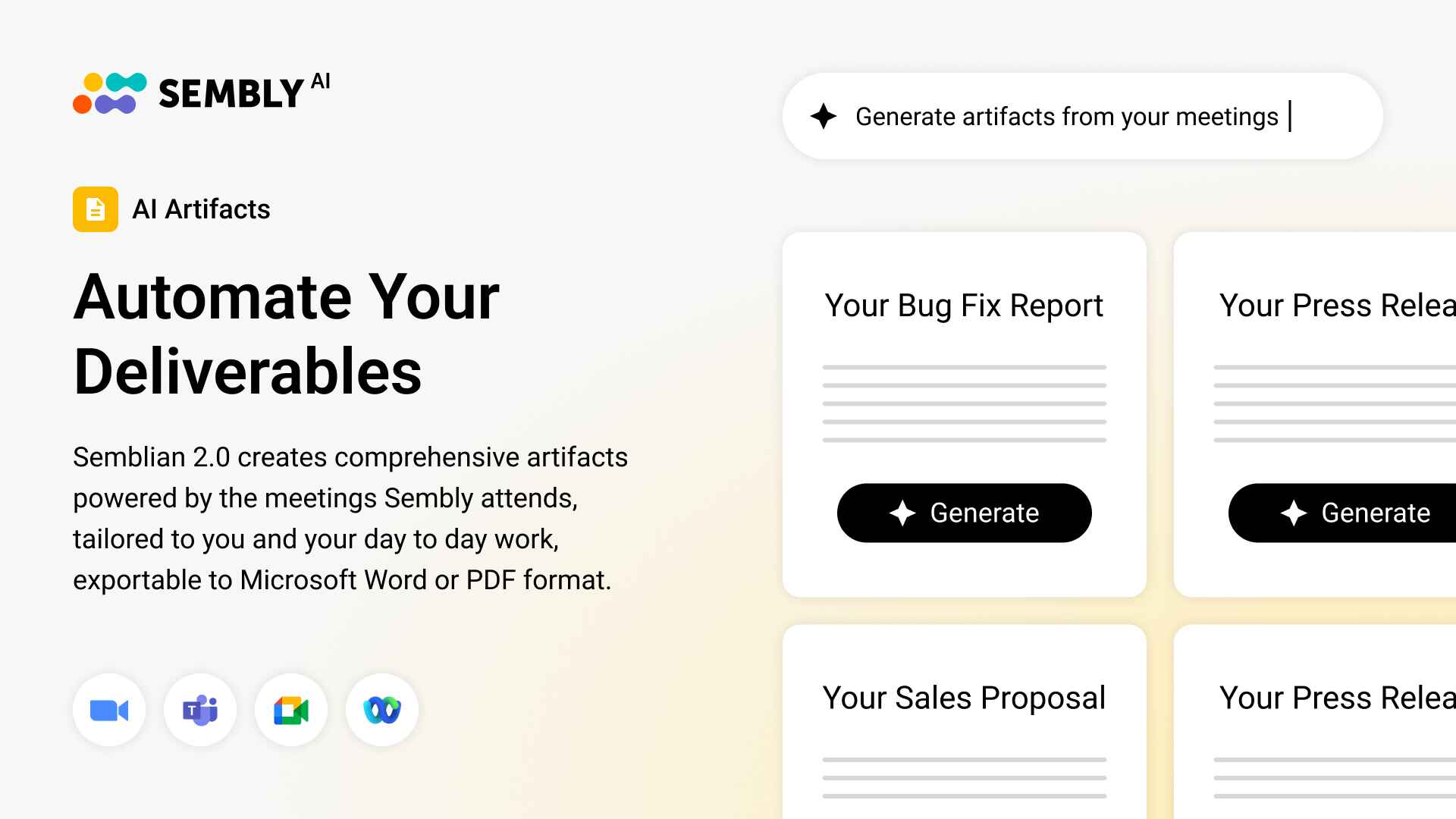
Yes, that’s right! Sembly can draft comprehensive documentation based on the meeting content within seconds. I still get meeting summaries and tasks by default, but deliverables make this tool stand out. There is also a sentiment analysis and an AI chat that answers any meeting-related questions.
As for in-person meetings support, there are 2 options: record offline discussions via a microphone in the web app or upload the audio to your Sembly AI account. In either case, I get a transcript, speaker identification, a summary, notes, and a list of action items. I’ve used it after internal project reviews, partner calls, and team brainstorms, and I always get something I can share with a client or my team.
Key Features
- Supports both online and offline meetings: there is an audio upload feature + an option to record conversations via microphones
- Transcribes conversations with speaker labels in 45+ languages
- Generates post-meeting documents (success plans, status reports, brainstorming session meeting review)
- Highlights risks, decisions, achievements, and notable events
- Ensures compliance with GDPR, HIPAA, FERPA, SOC 2, PCI DSS, and Microsoft 365, and more
- Generates structured summaries, notes, and a list of tasks with owners and deadlines
- Syncs with Google Docs, Notion, Salesforce, and more + supports Zapier integrations
- Offers a Chrome extension + a web application
Recommendation
Sembly is the best AI note-taking option for consultants, client service leads, project managers, and professional teams in general. If you prefer using hardware for recording, consider Philips SmartMeeting + Sembly AI.
2. Plaud
Plaud is a physical voice recorder that helps maintain sound quality in face-to-face discussions. I’ve seen teams use it in conference rooms and workshops where there’s background noise and phone microphones struggle to pick up the sound. It records locally and lets you upload the file to the Plaud app or export it to any note-taking tool you use (like Sembly AI). As a result, there are fewer missed words, a cleaner speaker identification, and less background noise.
Key Features
- Offers multiple hardware options
- Ensures compliance with GDPR, HIPAA, SOC 2, and more
- Provides one-touch recording with a dual-mode
- Generates multidimensional summaries (in Beta)
- Ensures simple file export (WAV, MP3, etc.)
- Supplies automatic email delivery (Plaud can send transcripts to the email you choose)
Recommendation
It is a solid choice for teams that prioritize audio quality, especially during busy conferences or workshops.
3. Read AI
Think of Read AI as a tool to make meetings searchable. From what I’ve gathered, people often use it alongside other solutions to search across dozens of past conversations, including product discussions, standups, and sprint reviews. You can upload your recordings, and Read AI lets you find where a topic came up, who said what, or how an idea evolved. It’s like an index for your spoken history. Besides, the app works with emails and messages as well, so it’s not just meetings you can summarize.
Key Features
- Offers Search Copilot that provides insights across meetings, emails, or messages
- Generates action items, meeting recaps, and highlights
- Integrates with CRM systems, calendars, collaboration, and productivity tools
- Lets users set up custom workflows with webhooks
- Supports conversations or messages in 20+ languages
- Read AI is SOC 2 certified and compliant with HIPAA
Recommendation
Read AI can be a good option for teams that want to search through their emails, messages, and meetings, and do not rely on heavy compliance.
4. Bluedot
I have noticed that Bluedot often comes up in conversations about AI note-taking tools that don’t rely on bots for their recordings. Basically, you don’t have to add a meeting assistant to the meeting. Instead, you record it with an extension or upload the audio to the platform. However, with invisible recording on, you need to ensure you have consent from other meeting participants, as it may be illegal in countries or states (for example, two-party consent states).
Key Features
- Records both in-person and remote meetings using a Chrome extension or app
- Can customize meeting notes based on the prompt from the user
- Analyzes meetings to extract coaching insights
- Answers questions about meetings via its AI Chat
- Transcribes conversations in 100+ languages, making it a good fit for global teams
- Offers integrations with the majority of popular tools (Coper, Notion, Salesforce, Pipedrive, and more)
Recommendation
It can be a good choice for teams that prefer minimal tooling and a bot-free approach to recordings.
5. Jamie
The next AI note-taker for in-person meetings is Jamie, which focuses on speed and ease of use. You can record a meeting or upload its audio file, and get a brief summary and a list of action items. I have heard freelancers mention using it when they don’t want to search through transcripts and just want to remember what was discussed (without heavy AI features). If simplicity is what you expect from an AI note-taker, then it can work!
Key Features
- Provides AI transcripts and notes in around 90 languages
- Identifies and extracts tasks mentioned in the conversations
- Labels speakers (and retains memory of them)
- Offers shared/team workspace and tags
- Integrates with Google Docs, Notion, OneNote, Asana, Salesforce, Hubspot, Attio + API
Recommendation
It is a solid AI note-taker for small teams or individuals who want a quick meeting recap and do not prioritize advanced AI features.
6. Notta
Notta is often mentioned by teams based in Japan or those working internationally. The reason is likely its ability to transcribe bilingual meetings and provide AI translations in approximately 40 languages. It works similarly to most note-taking apps: you record the meeting or upload the audio, and get a timestamped transcript. There is a web app, a mobile app, and a Chrome extension to choose from, although the latter only works for online meetings.
Key Features
- Transcribes bilingual conversations
- Helps professionals translate offline conferences, interviews, and voice recordings
- Generates meeting notes and summaries
- Can schedule meetings with clients or prospects (Notta Scheduler)
- AI chat can answer questions users have about their meetings
Recommendation
Consider Notta AI if you often work with Japanese clients, need translations, or want an AI note-taker that can also help with scheduling.
7. Granola
Granola is a newer and insight-focused AI tool. I’ve seen product and strategy professionals experimenting with it to surface patterns, opportunities, and highlights from their transcripts. Overall, teams seem to use it more for learning than for documentation. For example, those exploratory face-to-face conversations where you want the AI to point out the meaningful details. It’s especially useful in early-stage discussions and research calls where you and your colleagues are still shaping ideas.
Key Features
- Creates lightweight summaries
- Transcribes audio directly from your device during in-person meetings
- Improves personal notes with context from the meeting
- Integrates with ttio, Notion, Slack, Hubspot, Affinity, and Zapier (on Business + plans)
- Answers questions about meetings and can create follow-up outputs
Recommendation
Granola can work well for product teams, research teams, or early adopters of AI.
What Should You Consider When Using AI Note-Takers In-Person?
Before you go through all the points, try to pause and think about how your meetings work. I mean, face-to-face conversations come with their constraints: room acoustics, shared microphones, privacy expectations, and sometimes no internet at all. Once you have a clear picture in your mind, take a look at this list:
- How an AI note-taker captures in-person meetings: Think about whether you’ll rely on a phone microphone, a voice recorder app, a browser tab, or a physical recording device. Which option feels the most natural for you?
- Offline recording vs. local processing: Most AI note-taking tools support offline recording, but only a few apps support local processing, where speech recognition happens on the device itself. It’s worth knowing the difference, especially if privacy or your internet can be a problem.
- Where the data is stored and who controls it: Some are comfortable storing audio recordings in the cloud. Others prefer more control, especially when meetings include sensitive topics. I strongly recommend checking how files are stored, shared, and retained.
- What the AI does after transcription: Some AI note-takers for in-person meetings focus on speech analytics, deliverables, and soundbites. Others simply help generate meeting summaries or action items. Decide what matters more to you.
- How “searchable” the meeting is: People usually remember phrases, names, or half-formed ideas, so look for note-takers that support keyword search, soundbites, or speech analytics.
As a side note, I’d also ensure that the AI note-taker provides recording options: sometimes an offline meeting moves to Microsoft Teams, Zoom, or WebEx meetings. It’s best to be safe and look for tools that can switch formats.
What Is the Future of AI Note-Taking for In-Person Meetings?
Among the obvious changes, it’s clear that speech recognition will continue to improve, especially in office settings where people interrupt each other or speak from across the room. Newer models and voice-optimized algorithms will likely handle accents, background noise, and overlapping speech better.
Most importantly, AI note-takers will shift toward agents/agentic systems that notice patterns, connect related topics, suggest improvements, and make decisions autonomously.
I have found a few studies that support this idea, so here are the key findings:
- Around 40% of enterprises will integrate task-specific AI agents by the end of 2026. That’s up from less 5% in 2025 (Gartner).
- ⅓ of agentic AI implementations will combine agents with different skills to manage complex tasks (Gartner).
- The market value of agentic AI will grow from $5.1 billion in 2024 to $47.1 billion in 2030 (Statista).
- Around 88% of executives plan to increase their AI-related budgets due to agentic AI (PwC).
Some of the AI note-takers, such as Sembly AI, are already adjusting to the agentic field to keep up with customers’ expectations and the competitive market.
Wrapping Up
In-person meetings aren’t going anywhere, whether we like it or not. If anything, I think they’re becoming more important for trust, alignment, and decision-making. However, unlike online meetings with tons of AI tools supporting them, office discussions are often left out of the conversation. At least until today!
There’s no universal “best” option, but there is a best fit for habits and expectations, and this article explores 7 different options that focus on different aspects of work. I hope you have already chosen the next tool you will trust with your face-to-face meetings. Happy note-taking!
FAQ
What is the best AI note-taking app for in-person meetings?
Sembly AI is the best AI note-taking app for in-person meetings. It records conversations via microphone and supports file upload to the platform for more flexibility.
The tool supports over 45 languages, works with multilingual discussions, automates post-meeting documents, and generates meeting summaries, notes and tasks.
Overall, it is a perfect choice for consultants or professional teams who manage offline, and occasionally, online meetings and need an AI to capture information.
How do AI note-takers work during in-person meetings?
AI note-takers usually record in-person meetings using a device microphone, voice recorder app, or physical recording device. After the meeting, the audio file is uploaded to the default AI note-taking platform (if any). Then, the tool converts speech to text, identifies speakers and topics, and generates transcripts, summaries, and action items.
How accurate are AI note-taking apps in noisy in-person meetings?
Accuracy depends mostly on audio quality. In quiet rooms with clear microphones, AI note-takers can be very accurate. In noisy environments, accuracy improves when teams use better microphones, dedicated recording devices, or noise-reduction tools.
Can you use Sembly AI for in-person meetings?
Yes. Sembly AI supports both in-person and online meetings. There are two ways to record face-to-face discussions:
- Using a microphone on your device
- By uploading a video or audio file to your Sembly account
Sembly AI processes all meetings regardless of their location and provides transcriptions in over 45 languages. It also generates summaries, notes, deliverables, and extracts tasks.
Are AI note-takers safe for in-person meetings?
Most AI note-takers are safe when used responsibly. Look for tools that offer encryption, clear data retention policies, and compliance with standards, such as ISO 27001. It’s also important to get consent before recording, especially in face-to-face meetings or when an AI note-taker is invisible to other participants.
Do AI note-takers work offline?
Most AI note-takers support offline recording, not offline processing. You can record an in-person meeting without internet and upload the audio later when you’re online.
However, true offline transcription, where speech recognition runs entirely on the device, is usually limited to specific tools or setups.
- Multi-meeting chats
- AI Insights
- AI Artifacts

You might also like
