AI, Automation
Knowledge Management Best Practices: 11 Proven Strategies
Updated: June 3, 2026 · 12 min read

Table of Contents
ToggleI have worked with enough teams to know that most knowledge management problems are not technology problems. The tools exist already, and most of them work. I mean, Confluence, Notion, Microsoft SharePoint, and Guru all handle the storage and retrieval side well enough. The problem is that teams implement these platforms without a well-defined strategy, let them fill with outdated content, and then completely forget about them six months later.
To understand what works in different contexts, I asked Olena Spenei, who had experience managing knowledge bases before joining Sembly’s Marketing team, what she would do differently if she were starting from scratch today. This guide covers the practices both Olena and I have seen work across teams of different sizes and industries, with the reasoning behind each one and the specific details that determine whether a knowledge base becomes genuinely useful.
What Does Effective Knowledge Management Mean?
Effective knowledge management is the systematic process of capturing, organizing, and distributing what your organization knows so the right people can access it when they need it. The definition is straightforward, but the implementation rarely is.
Knowledge comes in two forms, and most organizations only manage one of them well.
- Explicit knowledge: It is everything you can document, including processes, policies, how-to guides, troubleshooting steps, and product specifications.
- Tacit knowledge: This form of knowledge includes professional judgment, decision-making instincts, client context, relationship dynamics, and institutional memory. It lives in people’s heads, and when those people leave, it leaves with them.
The organizations I have seen do knowledge management well treat both equally. They have systems for explicit knowledge and deliberate practices for tacit knowledge. The ones that struggle usually focus entirely on the document layer and ignore everything else, so that’s something we’d like to avoid, right?
What Are the Proven Knowledge Management Best Practices?
The twelve knowledge management best practices below cover the full lifecycle of organizational knowledge: how it is captured, stored, organized, shared, retained, and retired. I ensured that each tip addresses a specific failure mode that causes knowledge bases to lose value over time. The order you’ll see reflects what I recommend teams tackle first.
You will see Olena’s notes throughout this section. Each one covers what she did differently in that phase, based on the systems she actually ran.
1. Start with a Knowledge Audit
Before selecting tools or building any structure, run a knowledge audit to map your content inventory, storage locations, and ownership assignments across the organization. This small but impactful step often separates knowledge management implementations that work from the ones that replicate existing problems.
Otherwise, in my experience, teams that skip the audit spend the first three to six months of implementation undoing decisions they made, and we’d hate that, right?
A thorough audit usually covers three areas:
- Existing knowledge assets: List every repository in use, including wikis, shared drives, CRM notes, email threads, recorded calls, and informal documentation. Most teams find three to five times more knowledge sources than expected.
- Usage patterns: Analyze traffic data from your existing platforms to identify actively used content. High-traffic pages with outdated content are your highest credibility risk.
- Identified gaps. Survey teams on the questions they ask most often. These are your highest-priority content areas.
It’s best to run the audit before implementation, then revisit it every six to twelve months. I’ll explain why: the findings shift as the organization grows, and a repeated audit often reveals the problems that appear between major implementations.
2. Identify the Knowledge Source
Capture knowledge at the source by identifying where your most valuable organizational knowledge actually originates. For most companies, the answer is team meetings, customer calls, one-on-ones, and internal discussions across departments.
Does any of that knowledge reach a knowledge base? Not likely, but a good AI tool can help. For example, Sembly automatically transcribes meetings, identifies key decisions and action items, and syncs information into your knowledge repository. Or even better: you can use Sembly Collections to store and structure information within your account.
For knowledge that lives with a specific person rather than in a recorded call, Olena has a different approach:
In both cases, the work is the same: identify the knowledge source and capture it there, before it gets lost or oversimplified in a documentation request.
3. Create One Centralized Company Hub
Establish a single, authoritative starting point for every team. The most effective solution is a “system of record” governed by a consistent taxonomy. To keep it working, aim for a hierarchy of three to four levels: Category → Topic → Subtopic → Content Type.
The most common failure I see is teams building their own organizational structures in isolation. I mean, even if you’re all on the same platform, these “private stashes” create a fragmented mess.
I always tell leaders to use this simple test: Can a new hire independently find exactly what they need in their first week?
- If yes: Your system is built for the user.
- If no: Your system is built for the person who created it.
Research shows that messy knowledge management can eat up to 25% of company revenue (Bloomfire). When you centralize, you can see your content inventory, outdated articles, and content gaps, all from one place.
4. Assign Ownership to Every Knowledge Area
Assign a named owner to every knowledge area who is accountable for its accuracy and completeness. This person is the “guardian” of the content, separate from whoever created it. You may wonder: Artem, why bother?
Here is what Olena shared with me:
In most businesses, functional leads usually own their domains. For example:
- Engineering leads own technical workflow documentation.
- Customer success leads usually own client playbooks, success plan templates, and troubleshooting manuals.
- HR Teams own HR policies and employee-facing FAQs.
A dedicated manager should coordinate across these functions, especially for content that touches multiple systems. Otherwise, without this knowledge governance, your knowledge base likely becomes a liability.
5. Set Governance Rules
Define who can create, edit, and retire content before your library grows into a mess. Retrofitting knowledge governance onto a 500-article system is a nightmare most business leaders regret starting too late.
A practical model covers four pillars:
- Content intake standards define who creates articles and which templates they must use to ensure every document is consistent.
- Review and approval workflows establish the path to publication, requiring strict sign-offs for customer-facing content while allowing easy access for internal tips.
- Version history protocols provide full version control so that teams can trace policy changes for compliance guidance or troubleshooting. Data loss prevention controls work alongside governance to ensure sensitive knowledge remains protected as it’s shared across teams.
- Expiration and retirement policies assign a mandatory review date to every article to ensure content is either updated or removed before it misleads anyone.

My point is that governance added to an established knowledge base is significantly harder to implement than governance defined at the start.
6. Simplify Employee Contribution
Make contributing to the knowledge base faster than the alternative, and significantly more people will do it. If a contribution takes 30 minutes of formatting, most employees skip it. The goal is to make knowledge capture the path of least resistance.
Here are a few points I’d consider to lower the barrier for your team:
- Standardized content templates: Provide pre-set structures for various article types so contributors can fill in specific fields.
- Real-time capture tools: Record workflows and key decisions as they happen through screen recordings or integrated note-taking apps to preserve accuracy.
- Shared knowledge inboxes: Create a central space where employees can drop raw notes or Slack snippets for a knowledge manager to refine and publish later.
Employees are often hesitant to document because the process is slow, unclear, or disconnected from their workflow. However, once you create a knowledge-sharing culture for people who benefit from it, the problem eventually becomes a distant memory.
7. Optimize Your Knowledge Base for Search
Structure your knowledge base for search first, because that is how most employees find information. Most systems are designed for browsing, but in reality, employees (I am one of them) go straight to the search bar.
Surely, nothing is as easy as it appears at first:
I recommend using these three strategies to improve discoverability:
- Question-based titles: Write article headers as full questions to match the natural phrasing employees use.
- Consistent metadata tags: Apply labels across all departments to link related content.
- Natural language search tools: Deploy AI search that identifies user intent, allowing new hires to find information faster.
Here at Sembly, we provide cross-meeting search, so you can pull up every instance a specific keyword or incident was mentioned across months of meeting transcripts. My vision with this one is quite simple: since your meetings are the source of knowledge, why not turn them into a searchable digital library? That’s what we did.
8. Regularly Track Knowledge Health
Measure if your knowledge base solves problems, not how many articles you published. Page views and document counts often show activity but create a false sense of progress, while your team might be publishing content that nobody reads.
When an employee searches for a fix, finds an outdated guide, and eventually gives up, they’ve learned a dangerous lesson: the knowledge base isn’t worth checking. That’s not something you’d expect to hear after all the time and effort you spent, right?
Well, the good news is that you don’t have to. You can use this table to assess where your knowledge base currently stands on each metric.
P.S. These benchmarks apply to both internal knowledge bases and customer support knowledge bases, just saying.
|
Metric
|
Healthy
|
Warning
|
Critical
|
|---|---|---|---|
|
Self-service resolution rate
|
70% or higher
|
50 to 60%
|
Below 50%
|
|
Content currency rate
|
90% or more within review window
|
70 to 90%
|
Below 70%
|
|
Search abandonment rate
|
Below 15%
|
15 to 30%
|
Above 30%
|
|
Repeated question rate
|
Below 5% of team questions
|
5 to 15%
|
Above 15%
|
9. Bring Knowledge into Daily Work
Surface knowledge inside the tools your business uses, and adoption happens with minimal extra effort from employees. A knowledge base that requires a context switch (opening a new tab or logging into knowledge systems) rarely gets consulted consistently, regardless of content quality.
Your goal here is to provide help at the “moment of need.” For example, a customer service agent in the middle of a difficult call needs an answer in seconds; ask yourself: Can they find it?
I recommend using these four integration points to keep work flowing:
Support ticketing: Link your knowledge base to tools like Zendesk or Jira Service Management. This allows relevant articles to appear automatically based on the support ticket content, which often reduces resolution times by up to 40% (DialDesk).
CRM platforms: Embed case studies and pricing guidance within your CRM to ensure your sales department can find competitive intelligence based on the deal context.
Communication channels: Integrate your system with Slack or Microsoft Teams to help employees search the digital library from the chat where the question appeared.
Meeting intelligence: Use agentic AI like Sembly to create post-meeting summaries or generate first drafts for your knowledge base.
10. Build Knowledge Sharing into Team Rituals
One of the last tips I’ll talk about today is creating knowledge sharing rituals. The idea is to turn a simple “information exchange” into part of the team culture.
The teams with the strongest knowledge-sharing cultures I have worked with don’t rely on luck, no. Instead, they use learning-oriented processes to keep their enterprise intelligence sharp. These rituals later form the backbone of a continuous learning culture, which is key to employee retention.
So, what are the ideas to bring this knowledge management practice to life?
Weekly reflection sessions: Set aside 15 minutes each Friday for one team member to share a lesson, a process improvement, or a mistake.
Communities of practice: Organize cross-functional groups around specific areas of expertise to swap techniques and approaches.
Expert walkthroughs: Record the leadership team as they explain complex systems or optimizations.
Structured project retrospectives: Run a retrospective process after every major milestone to document what worked and what failed.
11. Integrate Knowledge Transfer into HR Processes
This step might be the last in my list, but it’s definitely not the one to underrate. Institutional memory shouldn’t walk out the door when an employee resigns, but most companies only realize how much they’ve lost after the person is long gone. At that point, your team spends months in “reconstruction mode,” which is a massive drain on internal repair times.
To stop this, move away from “exit interview documentation” and embed these knowledge retention processes into your standard HR systems:
Maintain “living” documentation: Require subject matter experts to keep current records of their workflow as a standard part of their role.
Conduct recorded transfer sessions: Use knowledge transfer sessions where departing experts walk through their processes on camera. Tools like Sembly can turn these 90-minute videos into searchable, AI-based knowledge management assets.
Prioritize successor overlap: Aim for a two-week window where the new hire shadows the departing employee. This allows the incoming person to ask the “unwritten” questions that even the best process mapping might miss.
How Can Sembly Help Knowledge Management Teams?
So, where does Sembly fit into all of this? I’ve spent the last 11ish sections talking about the “ideal” knowledge base, but let’s be honest: the biggest problem is always the human element. You can have the best ITSM software in the world, but if your team doesn’t record the decisions they made during a call, that knowledge is gone the moment they hang up.
I look at Sembly as the “bridge” that handles the manual labor of knowledge creation, and it does a great job doing so.
Here is how I normally use it to solve the problems we just covered:
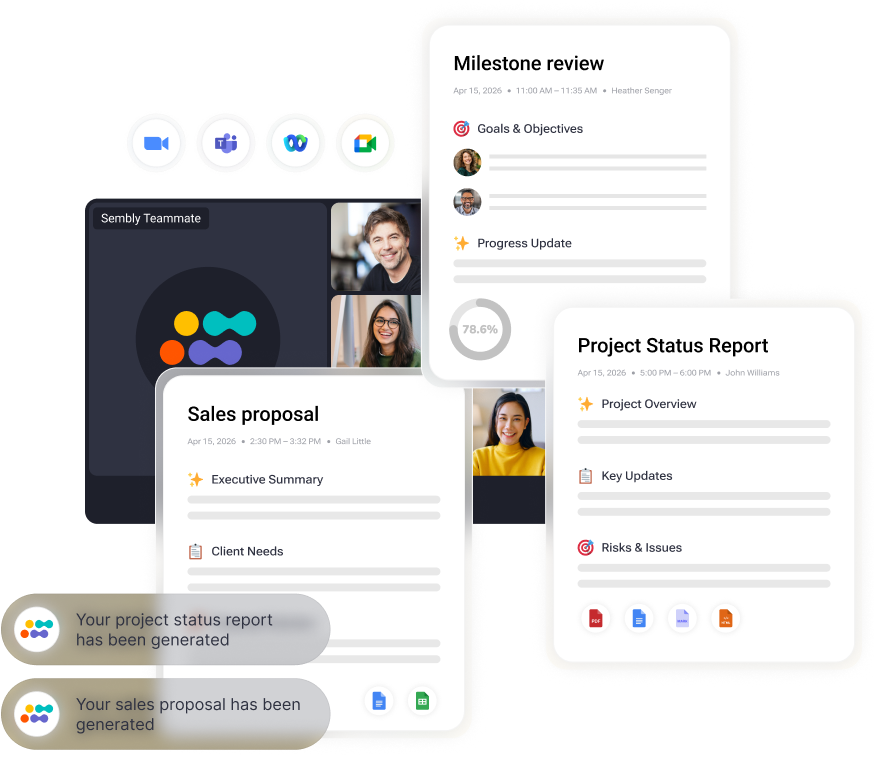
- Practice 2 (Find the knowledge source): Sembly joins your meetings across Zoom, Google Meet, Microsoft Teams, and Webex, captures the conversation, generates meeting recaps & tasks, and uses all available information to generate relevant documentation.
- Practice 6 (Make contribution effortless): Most documentation backlogs exist because people hate writing from scratch. Sembly gives you a first draft based on the meeting within minutes.
- Practice 9 (Knowledge transfer into HR processes): Sembly records transfer sessions between departing and incoming employees, automates HR documentation, and generates searchable transcripts with speaker identification that teams reference long after the person leaves.
- Practice 11 (Bring knowledge into daily work): Sembly routes meeting summaries, transcripts, and action items into the tools teams already use: Slack, Microsoft Teams, Salesforce, HubSpot, Jira, Asana, Notion, Google Drive, and others through native integrations and Zapier connections.
Surely, with AI tools, you still need governance rules, a defined taxonomy, content ownership, and review cycles. Sembly captures meeting knowledge and routes it to your knowledge base, yes, but the structural decisions about how to organize, approve, and maintain that knowledge remain your responsibility.
What Is My Knowledge Management Maturity Model?
In my experience, every company sits somewhere on a spectrum of “knowledge maturity.” I’ve found that you can’t force a high-level strategy on a team that’s still struggling with the basics no matter how promising software sounds. If you try to implement strict governance on a group that still saves everything to their desktop, it’ll (likely) fail.
I use the categories below to figure out where a team is starting from. It helps me decide what to fix first so we don’t waste time on “solutions” that the organization isn’t ready for yet.
|
Name
|
Team Size
|
Key Signals
|
Priority
|
|---|---|---|---|
|
Ad-hoc
|
Under 30 people
|
No central repository. Same questions asked repeatedly.
|
Run a knowledge audit. Create one starting repository.
|
|
Structured
|
30 to 100 people
|
Central repository exists. Content is inconsistent, ownership unclear, and currency varies wildly. Search works poorly.
|
Assign owners and set content standards.
|
|
Governed
|
100 to 300 people
|
Ownership assigned. Review cycles in place. Content currency above 70%. Self-service resolution around 50 to 70%.
|
Build capture at source. Integrate into daily tools.
|
|
Integrated
|
300 to 1,000 people
|
Knowledge surfaces inside daily tools (CRM, support platform, Slack). Meeting intelligence captured automatically. Self-service above 70%.
|
Measure business outcomes
|
|
Intelligent
|
1,000+ people
|
Knowledge base functions as organizational intelligence. AI surfaces patterns, predicts risks, and informs decisions. New hire productivity 30 to 40% faster than baseline.
|
Continuous refinement based on usage data and business outcomes
|
Wrapping Up
After years of watching teams build, rebuild, and sometimes abandon their knowledge management systems, I have come to a simple conclusion: the difference between systems that work and systems that fail has very little to do with tool choice.
The strongest knowledge management implementations share four traits. They start with a proper audit, capture knowledge where it originates (usually in meetings and conversations), assign ownership with authority to every knowledge area, and measure outcomes, like self-service resolution rate or new hire ramp time. On the other hand, the teams that struggle tend to get one thing wrong above all others: they treat knowledge management as a software problem.
The practices in this article are what I use to avoid that pattern. None of them are complicated, but you need to apply them consistently over time, because knowledge management is a long-term investment that rewards patience and discipline.
FAQ
What is the most important knowledge management best practice?
Running a knowledge audit before building anything is the single most important step. It shapes tool choice, taxonomy, ownership, and governance decisions that follow.
How do you measure the success of a knowledge management system?
The most reliable metric is self-service resolution rate: the percentage of questions resolved by the knowledge base without human escalation.
A healthy customer support knowledge base resolves 70 to 80% of tier-one queries without agent involvement. For internal knowledge bases, track repeated question rate and new hire time to productivity.
What is the difference between knowledge management and a knowledge base?
A knowledge base is a repository where documented knowledge gets stored and retrieved. Knowledge management is the broader system of practices, processes, and culture that determines how knowledge gets created, captured, shared, updated, and retired. A knowledge base is one component of a knowledge management system.
What are the 4 pillars of knowledge management?
The four pillars of knowledge management are people, process, content, and technology.
- People create and use knowledge.
- Process defines how knowledge moves through the organization.
- Content is the knowledge itself.
- Technology supports capture, storage, and retrieval.
How often should you audit your knowledge base?
Audit your knowledge base every six to twelve months for a full structural review. Content-level reviews happen on a rolling basis based on each article’s review date.
You can use 90-day review cycles for fast-moving content, such as product documentation, and 12-month cycles for stable reference material like company policies.
Why do employees not use the knowledge base?
Employees often avoid the knowledge base for three main reasons: the content is outdated or inaccurate, the search function returns poor results, or the knowledge base is outside the tools they use daily.
Is knowledge management different for small teams?
Yes. Teams under 50 people should prioritize capturing tacit knowledge before institutional memory concentrates in a few individuals.
Teams over 200 people, on the other hand, need strict governance and taxonomy because fragmentation normally multiplies with headcount.
How do you start a knowledge management system from scratch?
- Start with a knowledge audit.
- Map your content inventory, storage locations, and ownership gaps across existing systems.
- Pick one central repository, define three to four governance rules, and assign named owners
- Budget one month for audit and setup.